
Transform incoming MIDI notes
Click the Note Repeat button in the toolbar (or use the corresponding key command).
In the initial Note Repeat dialog, you can do the following:
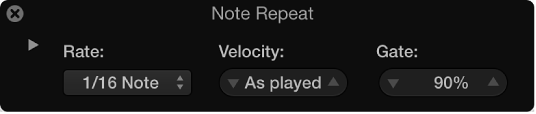
Choose a repetition rate from the Rate pop-up menu.
Define a velocity value in the Velocity field or leave it “As played” (which is the default).
Define a gate length value in the Gate field.
Click the disclosure triangle in the upper-left area of the dialog to reveal additional settings, then you can do the following:
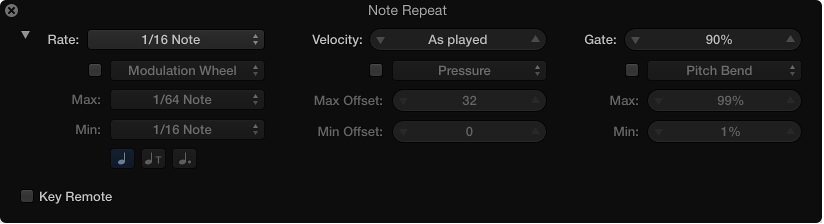
Select the checkboxes to make the MIDI controller pop-up menus available, then choose a controller for rate, velocity, and gate time.
Define the maximum and minimum values for rate and gate time.
Define the maximum and minimum offset values for velocity.
Select the Key Remote checkbox in the lower-left area of the dialog to display the keyboard, then use the keys to define the rate and gate time settings.