
Move the left or right margin of a staff system
In Page view, choose the following settings from the Score Editor’s View > Page Display Options submenu:
Print View
Show Margins
Click-hold (with the Layout tool) a little inside the beginning or end of the staff, then drag to the left or right.
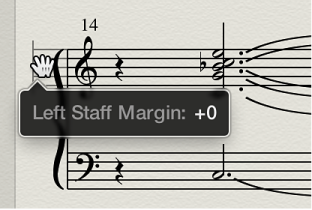
During this process, Left or Right Staff Margin appears in the help tag.
Note: When altering margins, the number of bars per line adapts automatically (unless you have manually adjusted line breaks beforehand). If the line is shortened, bars may be moved down to the next line, depending on the Spacing parameters in the Global pane of the Score project settings. (See Global Score settings.)