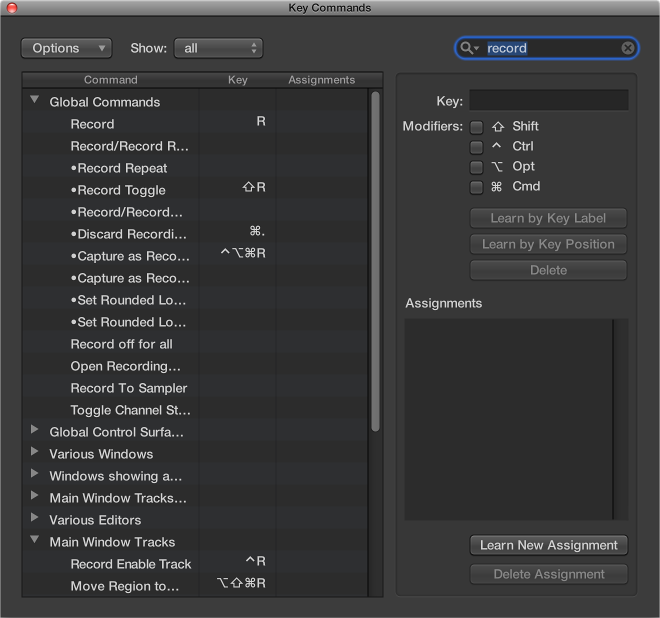

You can browse or search for key commands in the Key Commands window.
You can also switch between key command sets, or import and export them. This is particularly useful if you need to work temporarily on another user’s Logic Pro system, because you can use your personal key assignments without altering the settings of the other system.
Do one of the following:
Click the disclosure triangle beside a key command group to show its contents.
Choose Options > Expand All to show the contents of all key command groups.
When you expand key command groups, your key command selection may no longer be visible. You can quickly return to the selected key command by choosing Options > Scroll to Selection.
Enter a search term in the search field.
You can click the small “x” at the right side of the search field to clear the search term. Click the magnifying glass icon at the left side of the search field to choose a search term from the pop-up menu.
Do one of the following:
Choose Logic Pro > Key Commands > Presets.
Choose Options > Presets in the Key Commands window.
All key command sets saved in the ~/Library/Application Support/Logic/Key Commands folder are displayed, allowing you to quickly switch between key command sets.
Choose Options > Import Key Commands in the Key Commands window.
You can import key command sets from any folder location using the dialog that appears.
Choose Options > Export Key Commands.
You can save the current key command assignments to any location using the dialog that appears. You should do this whenever you make changes to your personal key command set. The default location is ~/Library/Application Support/Logic/Key Commands.