Reassign a track to a different channel strip
Control-click the track header.
Choose Reassign Track from the shortcut menu, then choose a channel strip from the submenu.
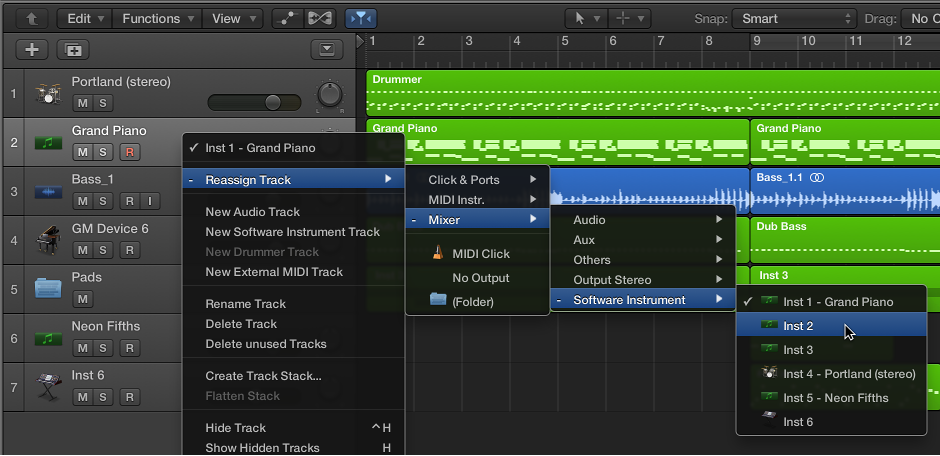

You can reassign a track to a different channel strip. For example, you can reassign the output of a software instrument track to another instrument channel strip, so that the MIDI regions on both tracks are played through the same software instrument plug-in.
Control-click the track header.
Choose Reassign Track from the shortcut menu, then choose a channel strip from the submenu.
Hold down Option when reassigning a track channel strip, then confirm the action by clicking the Reassign All Tracks button.
The new channel strip will be used for every track that shared the original channel strip in the current project (including tracks in folders).
In addition to reassigning tracks to channel strips, you can reassign them to either of the following destinations:
No Output: Tracks assigned as No Output send no data. This can be useful in situations in which you want to store data (such as SysEx) that you don’t want to send from Logic Pro.
Folder: This setting is used when you want the track to play a folder region. (See Folders overview.) Normal regions will not play on a track set up for folder playback.