
You can use the Finder to import compressed audio files of the following file types into a Logic Pro project:
AIFF
WAV
AAC
MP3
Apple Lossless
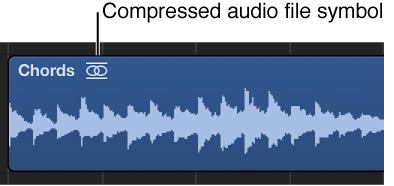
The compressed audio file is added to the Tracks area, and a region that encompasses the complete audio file is created. Audio regions that point to compressed audio files are denoted by the following symbol:
You can edit this region in the same way as a normal audio region in the Tracks area.
 Audio files you import from the Finder do not change to match the tempo or key of your project. When Show Advanced Tools is selected in the Advanced preferences pane, you can convert the region so that tempo changes are written into the audio file.
Drag the audio file you want to import from the Finder into the empty workspace area below the existing tracks.
A new audio track containing the audio region is created.
Do one of the following:
Select the audio region pointing to the audio file in the Tracks area, then choose Edit > Convert > Audio Region to New Audio File from the Tracks area menu bar.
The part of the audio file spanned by the audio region is converted to a new audio file.
Select the audio file in the Project Audio Browser, then choose Audio File > Copy/Convert File(s) from the Project Audio Browser menu bar.