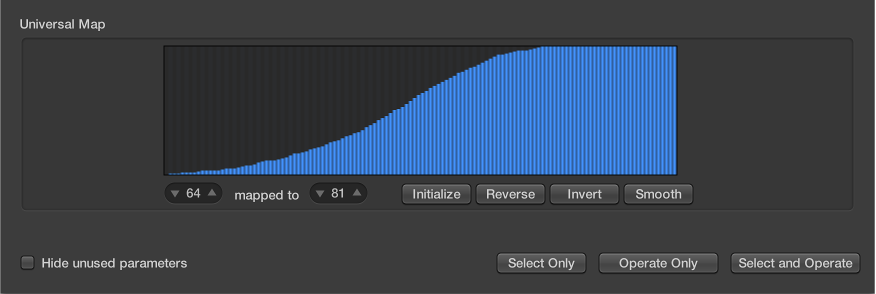

The map display contains 128 vertical bars that reflect the full MIDI value range (from 0 to 127), and provide a visual overview of the transformation.
Each bar represents a particular MIDI value that can be mapped to a different value. The type of event, and operations, are determined in the Selection Conditions and Operations areas.
The map is visible only when chosen in one of the Operations pop-up menus. Appropriate selection conditions must also be set, or the map does not appear.
The map is universal, which means that it remaps one MIDI value to another.
The map does not know what type of MIDI data is sent to it. It only affects the value of the data.
This means that one map can be used to simultaneously alter the pitch, velocity, and length values of incoming note events, for example.
Map usage example
Each of the bars could represent a MIDI note number (from 0 to 127) value.
By default, there is a 1:1 relationship for each bar, where value 1 = value 1, value 15 = value 15, and so on, throughout the 128 bars. Applying this to MIDI note numbers, bar 60 = C3 (middle C), bar 61 would represent C#3, bar 62 = D3, and so on.
The default and mapped values are shown in the two fields at the lower left of the map area.
You can alter these values directly in the fields, or by dragging any of the bars vertically. As you do so using either method, the corresponding field or bar is updated.
If you alter the bar 60 (middle C) value to show 72 in the “mapped to” field, this value is remapped accordingly when the Transform operation is applied.
This results in all MIDI note number 60 messages being transformed into MIDI note number 72 messages (effectively transposing all C3 notes to C4).