Select a section of an audio file between two transient markers
Double-click the area of the waveform display between the two transient markers.
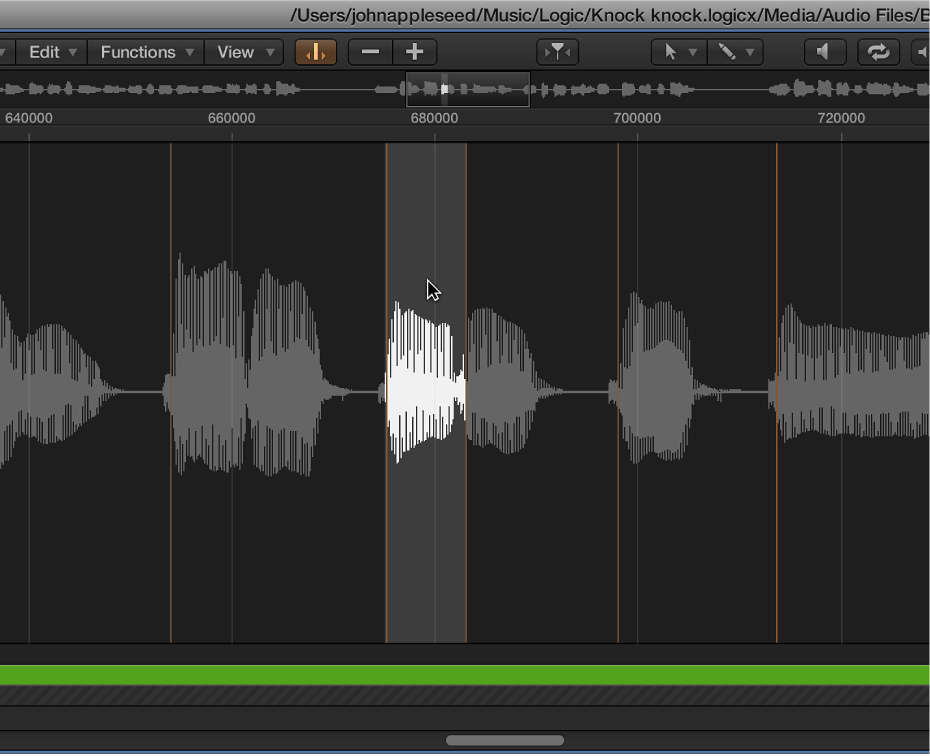

You can use transient markers to select part of an audio file for editing purposes.
Note: To do this, you first need to turn on Transient Editing mode in the Audio File Editor. For more information, see Use transient markers to edit.
Double-click the area of the waveform display between the two transient markers.
Choose Edit > Set from the Audio File Editor menu bar to use the following commands:
Selection Start to Previous Transient: The selection start is extended to the left, up to the preceding transient marker.
Selection Start to Next Transient: The selection start is shortened to the right, up to the following transient marker.
Selection End to Previous Transient: The selection end is shortened to the left, up to the preceding transient marker.
Selection End to Next Transient: The selection end is extended to the right, up to the following transient marker.
Selection Start and End to Previous Transient: The selection start and end are both moved to the left, up to the preceding transient marker.
Selection Start and End to Next Transient: The selection start and end are both moved to the right, up to the following transient marker.
Selection Start and End to Previous Transient and Play: The selection start and end are both moved to the left, up to the preceding transient marker, then playback begins.
Selection Start and End to Next Transient and Play: The selection start and end are both moved to the right, up to the following transient marker, then playback begins.
Region Anchor to Previous Transient: The region anchor is moved to the left, up to the preceding transient marker.
Region Anchor to Next Transient: The region anchor is moved to the right, up to the following transient marker.