
Create a hi-hat in Ultrabeat
Load the Standard Tutorial sound.
Turn off oscillator 1 and turn on the noise generator.
In the noise generator, make sure the Cutoff parameter is modulated by Env 1, the modulation is negative, and the position of the Mod slider is below that of the base parameter value.
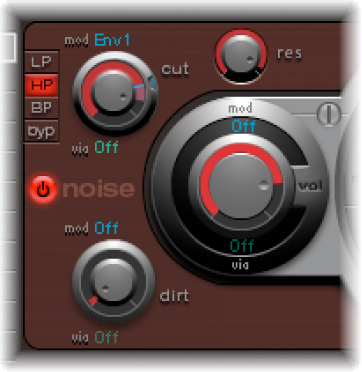
Use rather short decay values for Env 1 and Env 4.
Set the attack time of Env 4 to a value of 0. The attack time of Env 1 should also be rather short, but not equal to 0.
Note: You’ll find a similarly constructed sound listed as “hihat 1” at a pitch of F2 in the Tutorial Kit. Also analyze the hi-hat sound “hihat 2” at pitch F#2.