
Export an Ultrabeat pattern into Logic Pro X
Choose the pattern that you want to export from the Pattern pop-up menu.
Select the area to the left of the Pattern pop-up menu.
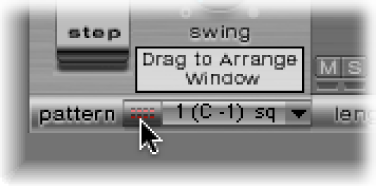
Drag the pattern to the target position on the respective Ultrabeat track.
A region is created containing all MIDI events, including Swing and Accent parameter settings. Accents are interpreted as polyphonic pressure events. Step automation events, created in Step mode, are also exported as part of the MIDI region.
Note: To avoid double-triggering while playing back the exported MIDI region, turn off the Ultrabeat step sequencer.