ReCycle, a sample editing program from Propellerhead Software, can generate a number of file types that can be read by Logic Pro X and EXS24 mkII.
ReCycle separates sample material into small segments called slices, based on waveform peaks, or transients, in the audio file. In this way, ReCycle is able to split an audio file into musically relevant slices. The timing of these slices—in a drum loop, for example—is also mapped to an automatically generated region in Logic Pro X.
EXS24 mkII supports the following ReCycle file types:
Old ReCycle file: These files have the .rcy suffix, and the abbreviation for this file type is RCSO. These files are no longer commonly used.
Old ReCycle export file: These files have the .rex suffix, and the abbreviation for this file type is REX. A number of older sample libraries include REX format files.
ReCycle 2.0 file: These files have the .rx2 suffix, and the abbreviation for this file type is REX2. These files are used extensively by Propellerhead Reason, and many popular sample libraries include REX2 format files.
Choose Instrument > ReCycle Convert > Extract MIDI Region and Make New Instrument in the Instrument Editor.
Select the ReCycle file, and click Open.
Enter a velocity factor in the Create MIDI Region dialog.
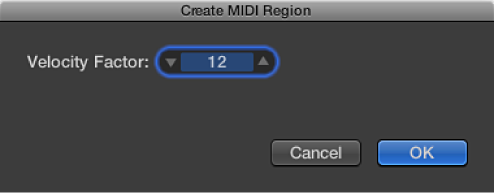
The velocity factor analyzes the loudness—transient peak—of each slice in the imported ReCycle file. It then maps this value to a corresponding velocity value for the MIDI note event that is used to trigger the slice.
If you enter a positive value (up to 100), louder slices generate MIDI note events with higher velocity values.
If you enter a negative value, louder slices generate MIDI note events with lower velocity values.
Click OK.
EXS24 mkII generates a zone for each slice of the imported ReCycle file and assigns these zones to a single group. The new sampler instrument is named after the ReCycle loop. If a sampler instrument of that name already exists, a number sign (#) and a number are appended to the name. For example, if you import a ReCycle file named Tricky Backbeat but Tricky Backbeat already exists as a sampler instrument, the imported instrument would be named Tricky Backbeat#1, thus ensuring that the filename is unique within the Sampler Instruments folder.
In addition, a MIDI region is generated on the currently selected track, at the current project position, rounded to whole bars. You use this MIDI region to trigger the imported slices at the timing defined by the ReCycle file. You can generate new MIDI regions at any time from the imported sampler instrument (see “Generate a new MIDI region from a ReCycle instrument”), so you can feel free to modify or delete the region.
Tip: The Extract MIDI Region and Add Samples to Current Instrument command also allows you to add the slices of a ReCycle loop to any sampler instrument currently opened in the Instrument Editor. This allows you to use several different ReCycle loops in a single sampler instrument.
Choose Instrument > ReCycle Convert > Slice Loop and Make New Instrument to create a sampler instrument from a ReCycle loop.
Each slice is chromatically mapped across the keyboard—from low to high notes.
Each zone plays back the ReCycle loop to the end point, at the current project tempo. This means that the lowest zone plays back the entire loop, but the highest zone plays only the last slice of the loop. Notes between the lowest and highest zones play several slices. This allows for drum’n’bass-style note triggering, where the sample loop start point is determined by playing the respective notes on the keyboard.
If you want to add zones from the sliced loop to the currently active sampler instrument, you can choose Instrument > ReCycle Convert > Slice Loop and Add Samples to Current Instrument.
You can generate a MIDI region from imported ReCycle files. These regions trigger the imported slices at the timing defined by the ReCycle files.
Choose Edit > Paste ReCycle Loop as New Instrument to create a sampler instrument from a ReCycle loop that was copied to the Clipboard with the ReCycle Copy Loop feature.
Instrument creation is identical to the Extract MIDI Region and Make New Instrument command.
If you want to add zones to the currently active sampler instrument, you can choose Edit > Paste ReCycle Loop to Current Instrument.
You can generate a MIDI region from imported ReCycle files. These regions trigger the imported slices at the timing defined by the ReCycle files.
Choose Instrument > ReCycle Convert > Extract Region(s) from ReCycle Instrument.
MIDI regions are created on the currently selected track, at the current project position, rounded to bars. A single MIDI region is generated for each imported ReCycle loop in the currently open instrument. You also need to enter a velocity factor (see “Create a new sampler instrument and assign each ReCycle slice to a zone”).