
This section outlines the steps needed to record a Morph Envelope.
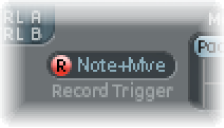
Click the Trigger mode pop-up menu to the right of the R button, then choose one of the following trigger modes to start recording when R(ecord) Enable is turned on:
NoteOn: Recording starts when a note is played.
Note + Move Morph Point: Recording starts when MIDI control change messages (as assigned in the Morph X and Y parameters of the MIDI Controller Assign section) arrive while a note is held.
Note + Sustain Pedal: Recording starts when the sustain pedal is depressed while a note is held.
Choose a trigger mode if you don’t want to use the Morph Pad.
Skip this step if using the Morph Pad.
Click the R(ecord) Enable button to arm the morph envelope record function.
Play a note on your MIDI keyboard, and do either of the following:
Drag the silver ball in the Morph Pad.
Move an external controller (see Define Sculpture MIDI controllers).
Following the recording of a controller movement, R(ecord) Enable is automatically set to off and Mode is set to Env only. This ensures that only the recorded movement is active, regardless of the controller position or further movements after you finish recording.
Note: The mode defaults to (Morph) Pad as soon as you click the R button. See Sculpture Morph Envelope parameters.
Do one of the following:
Click the R(ecord) Enable button (or trigger) a second time.
Release all keys, and allow all voices to complete their decay phase. This automatically ends the recording.
Note: You can stop recording early, before the decay phase completes, by releasing all keys and then pressing a single key.