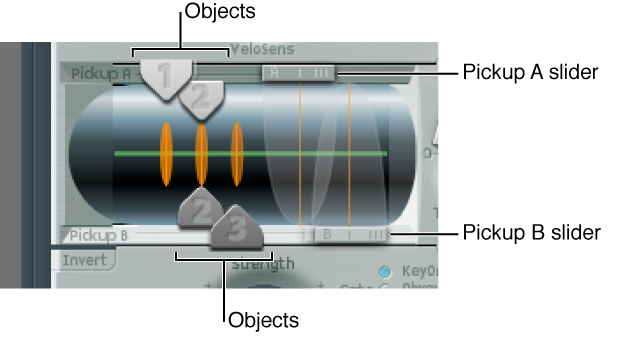

The vibration of the string is captured by two movable pickups. The pickup section also houses three object sliders—used to set the position of each object along the string.
Reload the #default (or your vanilla) setting file.
Drag the Object 1 pickup left or right while striking a key. Note that adjustment of the object pickup position alters the tonal characteristics of the string.
Adjust the Object 1 Strength control to hear things better, or to adjust the tone. You can also use Object 1 Timbre and Variation parameters to alter the tone.
Feel free to adjust the positions and parameters of the other objects, if they are active.
Drag the Pickup A and Pickup B sliders. Note that changes to the pickup positions result in quite different string vibrations and tonal qualities. If you want to increase the overall volume, adjust the Level knob on the right, directly opposite the Pickup section.