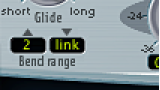

The Bend range fields determine the range for pitch bend modulation, typically performed with your keyboard pitch bend wheel.
Drag in either field to set a bend range.
Set the upward Bend range field to Link mode.
This locks the upward and downward bend ranges, making them identical.
Set a downward Bend range value.
This is mirrored in the upward Bend range field.
Note: A downward bend of 4 semitones results in a combined bend range of 8 semitones—9 if you include the standard pitch, or “no bend” position.