Open the EXS24 mkII Instrument Editor
Click the Edit button in the Parameter window.
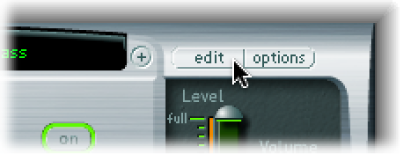
Note: If no sampler instrument is loaded when you click the Edit button, a new instrument is automatically created.

The Instrument Editor is used to create and edit sampler instruments. A sampler instrument consists of zones and groups:
A zone is a location into which a single sample (an audio file) is loaded from a hard disk. You can edit zone parameters in Zones view.
Zones can be assigned to groups, which provide parameters that allow you to simultaneously edit all zones in the group. You can define as many groups as required. You can edit group parameters in Groups view.
Note: The Instrument Editor is available only when Advanced Editing is enabled in your host application preferences.
See Create EXS24 mkII instruments, Create EXS24 mkII zones, Create EXS24 mkII groups, and Zone and group edit overview.
The Instrument Editor window has two views: Zones view and Groups view. Zones view displays zones and associated parameters in the parameter area. Groups view shows groups and associated parameters. See EXS24 mkII Zones and Groups view.
Important: Due to the level of integration between EXS24 mkII and Logic Pro X, several sections cover features that are not available in MainStage 3. MainStage 3 includes the Auto Sampler utility that is available in the Utilities and tools section of the Mainstage 3 Effects Help.
Click the Edit button in the Parameter window.
Note: If no sampler instrument is loaded when you click the Edit button, a new instrument is automatically created.