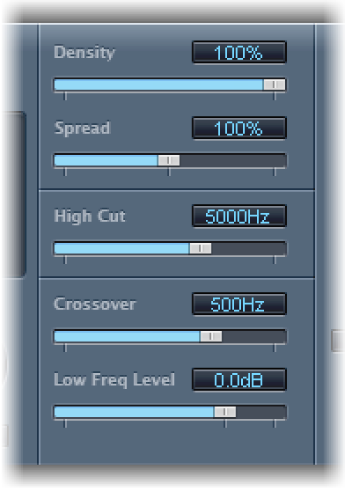

EnVerb provides the following sound parameters that change the tonal color of the reverb effect.
EnVerb sound parameters
Density slider and field: Set the reverb density.
Spread slider and field: Control the width of the reverb stereo image. At 0% the effect generates a monaural reverb. At 200% the stereo base is artificially expanded.
High Cut slider and field: Filter frequencies above the set value out of the reverb tail.
Crossover slider and field: Set the frequency used to split the input signal into two frequency bands for independent processing.
Low Freq Level slider and field: Set the relative level of (reverb signal) frequencies below the crossover frequency. In most cases you get better-sounding results when you set negative values for this parameter.