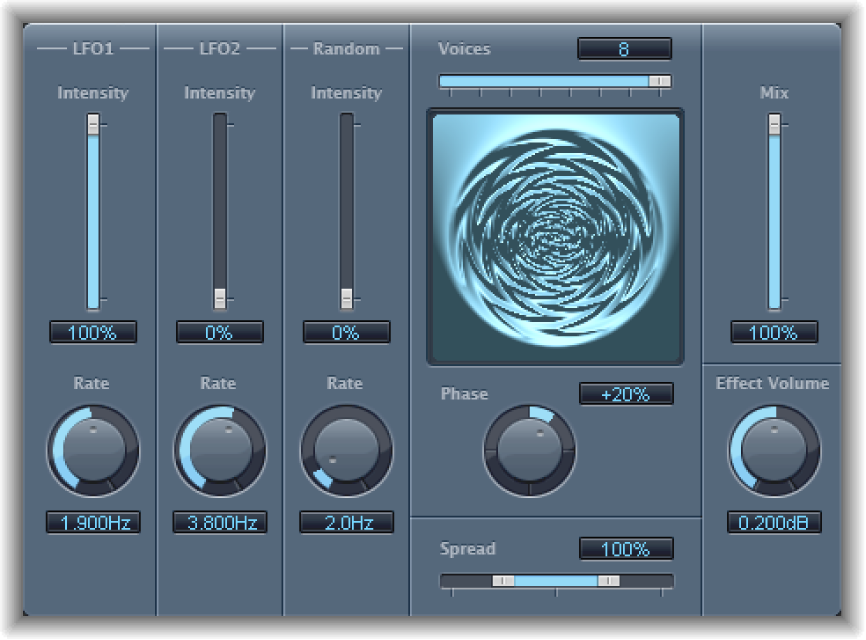

Ensemble can add richness and movement to sounds, particularly when you use a high number of voices. It is useful for thickening parts, but you can also use it for strong pitch variations between voices, resulting in a detuned quality to processed material. Ensemble combines up to eight chorus effects. Two standard LFOs and one random LFO enable you to create complex modulations. The graphic display visually represents what is happening with processed signals.
Ensemble parameters
Intensity sliders and fields: Set the amount of modulation for LFO 1, LFO 2, and random modulation.
Rate knobs and fields: Control the frequency of LFO 1, LFO 2, and random modulation.
Voices slider and field: Determine how many individual chorus instances are used. This setting determines the number of voices, or signals, that are generated in addition to the original signal.
Graphic display: Indicates the shape and intensity of the modulations.
Phase knob and field: Control the phase relationship between the individual voice modulations. The value you choose here is dependent on the number of voices, which is why it is shown as a percentage value rather than in degrees. The value 100 (or −100) indicates the greatest possible distance between the modulation phases of all voices.
Spread slider and field: Distribute voices across the stereo or surround field. You can set a value of 200% to artificially expand the stereo or surround base. Note that monaural compatibility may suffer if you do this.
Mix slider and field: Set the balance between dry and wet signals.
Effect Volume knob and field: Set the level of the effects signal. This is a useful tool that compensates for changes in volume caused by changes to the Voices parameter.
Note: When you are using the Ensemble effect in surround, the input signal is converted to mono before processing. In essence, you insert the Ensemble effect as a multi-mono instance.