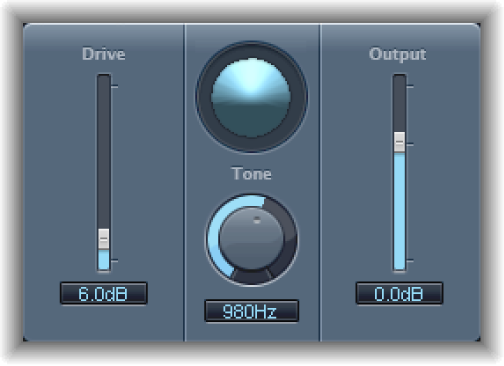

The Distortion effect simulates the low fidelity distortion generated by a bipolar transistor. You can use it to simulate playing a musical instrument through a highly overdriven amplifier or to create unique distorted sounds.
Distortion parameters
Drive slider and field: Set the amount of saturation applied to the signal.
Display: Shows the impact of parameters on the signal.
Tone knob and field: Set the frequency for the high cut filter. Filtering the harmonically rich distorted signal produces a softer tone.
Output slider and field: Set the output level. This lets you compensate for increases in loudness caused by adding distortion.
Level Compensation checkbox (Extended parameter): Turn on to reference the overall processing of the signal to 0 dB, making the output louder.