
Delay Designer is optimized for use in surround configurations. With 26 taps that can be positioned in the surround field, you can create interesting rhythmic and spatial effects.
Note: Delay Designer generates separate automation data for stereo pan and surround pan operations. This means that when you use it in surround channels, it does not react to existing stereo pan automation data, and vice versa.
Delay Designer always processes each input channel independently.
In a mono/stereo input and surround output configuration, Delay Designer processes the two stereo channels independently, and the surround panner lets you place each delay around the surround field.
In a surround input and surround output configuration, Delay Designer processes each surround channel independently and the surround panner lets you adjust the surround balance of each tap in the surround field.
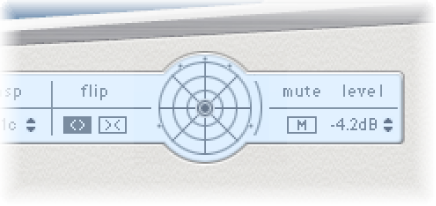
When you use Delay Designer in any surround configuration, the Pan parameter on the Tap parameter bar is replaced with a surround panner, which lets you determine the surround position of each tap.
Note: In the Tap display Pan view, you can adjust only the angle of taps. You must use the surround panner on the Tap Parameter bar to adjust diversity.
To adjust diversity: Command-drag.
To adjust the angle: Option-Command-drag.
To reset the angle and diversity: Option-click the blue dot.