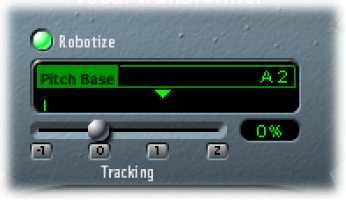
Use the Vocal Transformer Pitch and Formant parameters
To transpose the pitch of the signal upward or downward: Rotate the Pitch knob. Adjustments are made in semitone steps. Incoming pitches are indicated by a vertical line below the Pitch Base field.
Transpositions of a fifth upward (Pitch = +7), a fourth downward (Pitch = −5), or by an octave (Pitch = ±12) are the most useful harmonically.
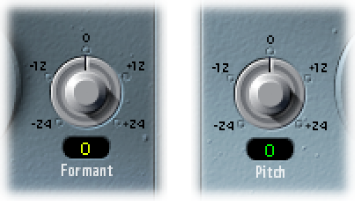
As you alter the Pitch parameter, you might notice that the formants don’t change.
The Pitch parameter is expressly used to change the pitch of a voice, not its character. If you set negative Pitch values for a female soprano voice, you can turn it into an alto voice without changing the specific character of the singer’s voice.
To shift the formants while maintaining—or independently altering—the pitch: Rotate the Formant knob. If you set this parameter to positive values, the singer sounds like Mickey Mouse. By altering the parameter downward, you can achieve vocals reminiscent of Darth Vader.
Tip: If you set Pitch to 0 semitones, Mix to 50%, and Formant to +1 (with Robotize turned off), you can effectively place a singer (with a smaller head) next to the original singer. Both will sing with the same voice, in a choir of two. This doubling of voices is quite effective, with levels easily controlled by the Mix parameter.