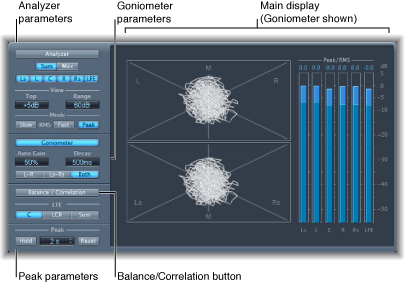

The surround version of the MultiMeter is specifically designed for analysis and metering of multichannel surround files. You can view either the Analyzer, Goniometer, or Correlation Meter results in the main display area. Use the controls on the left side of the window to switch the view and set other MultiMeter parameters. The (Peak/RMS) Level Meter is visible on the right.
Although you can insert Surround MultiMeter directly into any channel strip, it is more commonly used in the master channel strip of Logic Pro X—when you are working on the overall surround mix.