
You can lock a presentation to prevent it from being accidentally edited, moved, deleted, or renamed.
Click the presentation name at the top of the presentation window, then select or deselect the Locked checkbox.
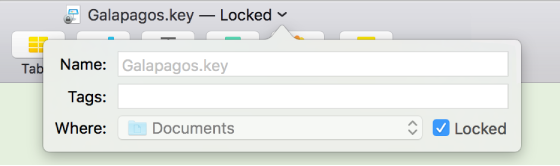
Click outside the window to close it.
Locking a presentation isn’t the same as protecting it with a password—anyone can unlock the presentation.