You can change the look of a table by changing the table outline, showing or hiding gridlines, and using alternating row colors.
Click the table, then click the Table tab at the top of the sidebar on the right.
If you don’t see a sidebar, or the sidebar doesn’t have a Table tab, click
in the toolbar.
Do any of the following:
Change the outline: In the Table Outline section of the sidebar, use the controls to change the line type, thickness, and color.
Change the gridlines: In the Gridlines section of the sidebar, click the buttons to add or remove gridlines from the table body, from the header rows and columns, and from footer rows.
You can change the border and background of any selection of table cells.
Select the cells you want to change.
To change all the cells in a table, select the table.
Click the Cell tab at the top of the sidebar on the right.
If you don’t see a sidebar, or the sidebar doesn’t have a Cell tab, click
in the toolbar.
Do any of the following:
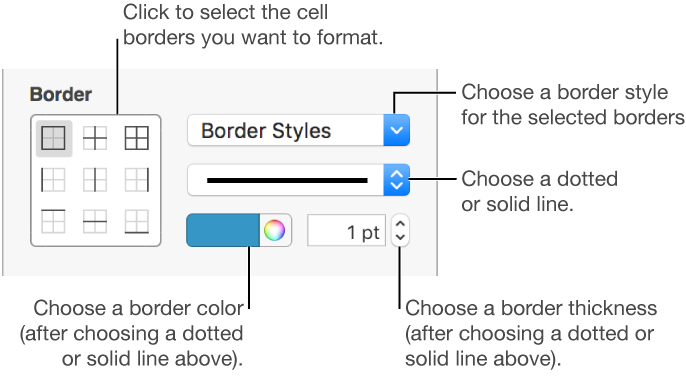
Change cell borders: In the Border section, click a border layout button below Border to choose which borders you want to format, then click the Border Styles pop-up menu and choose a border style.
To create a custom cell border, click a border layout option, then use the controls to specify a custom style, color, and thickness.

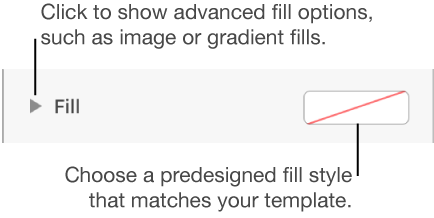
Change the background: In the Fill section, click the color well, then select a color option. To customize the background, click the disclosure triangle next to Fill, then use the controls to make further changes.

You can also create rules to automatically change a cell’s look when the value in the cell meets certain conditions. For more information, see Add conditional highlighting to cells.
Click anywhere in the table to select it.
Click the Table tab at the top of the sidebar on the right.
If you don’t see a sidebar, or the sidebar doesn’t have a Table tab, click
in the toolbar.
Select the Alternating Row Color checkbox, then click the color well to select a color.
Row colors don’t alternate for header columns. Header columns have their own look based on the table style you choose.