Open Keynote preferences
Choose Keynote > Preferences (from the Keynote menu at the top of your screen).
Click General, Slideshow, Rulers, and Remotes at the top of the window to see all settings.
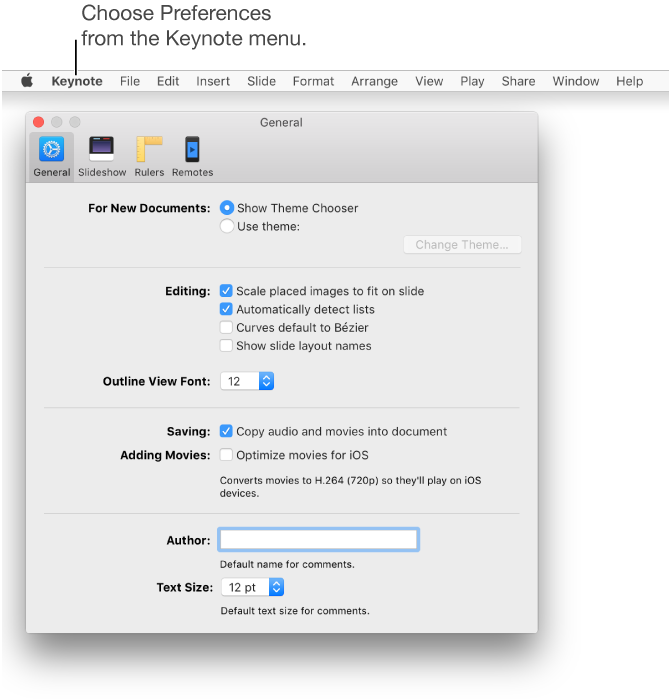

Preference settings affect how Keynote behaves, and they apply to all of your Keynote presentations.
Choose Keynote > Preferences (from the Keynote menu at the top of your screen).
Click General, Slideshow, Rulers, and Remotes at the top of the window to see all settings.
Many preferences are set in your computer’s System Preferences. For example, the setting for turning automatic spell checking off or on is in Keyboard preferences in System Preferences. To open System Preferences, click the Apple menu in the top-left corner of your screen, then choose System Preferences.