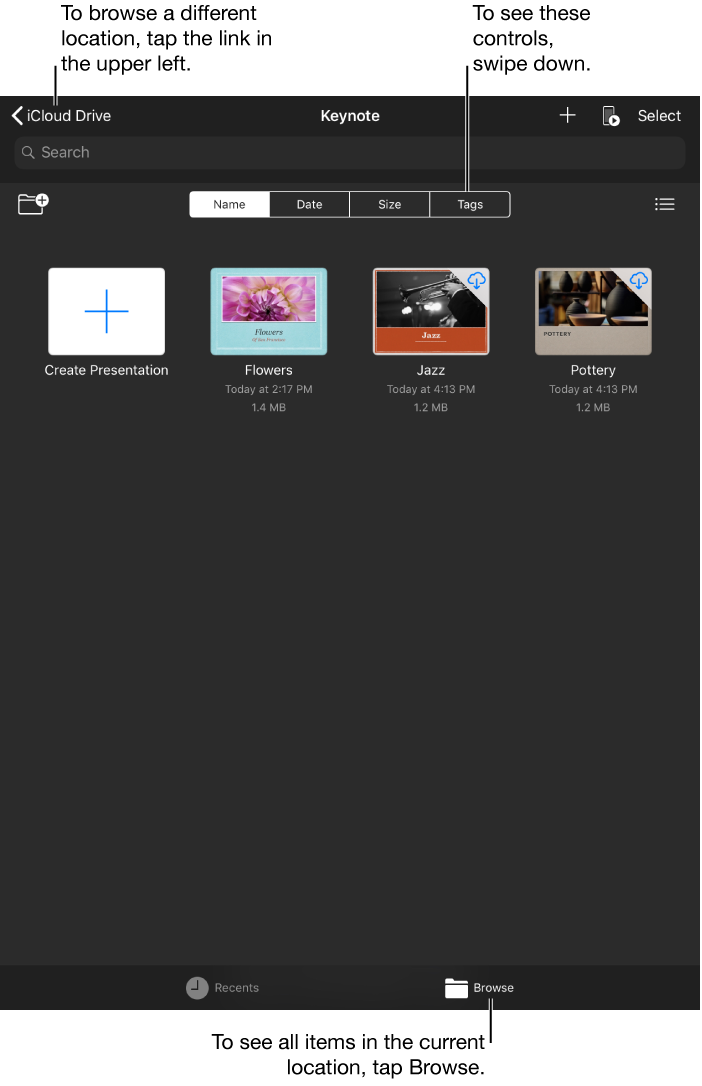
The presentation manager is where you create, open, and manage your presentations; it’s what you see when you open Keynote and no presentation is open.
To see only shared and recently edited presentations, tap Recents at the bottom of the screen. To see all of your presentations, tap Browse.
When you’re in browse view, the location you’re browsing is shown along the top of the screen. For example, if you see Keynote at the top and iCloud Drive at the top left, you’re viewing the Keynote folder on iCloud Drive. To browse files saved in other locations, such as a different folder on iCloud Drive or on your device, tap the link in the top-left corner to see the Locations list (you may have to tap more than once), then tap a location.
To return to the presentation manager when a presentation is open, tap Presentations in the top-left corner.