
Print a presentation

You can print a Keynote presentation from a printer you set up to work with your mobile device. To learn about setting up a printer, see the instructions in the user guide for your device, or learn more about using AirPrint on the Apple Support site.

These instructions assume that your printer is already set up to work with your device.

Print a presentation

  1. Tap Tools button, then tap Print.

  2. Specify print options.

    By default, Keynote scales your content so that each slide fits the width of one page. To display multiple slides on a page, tap a different layout option.
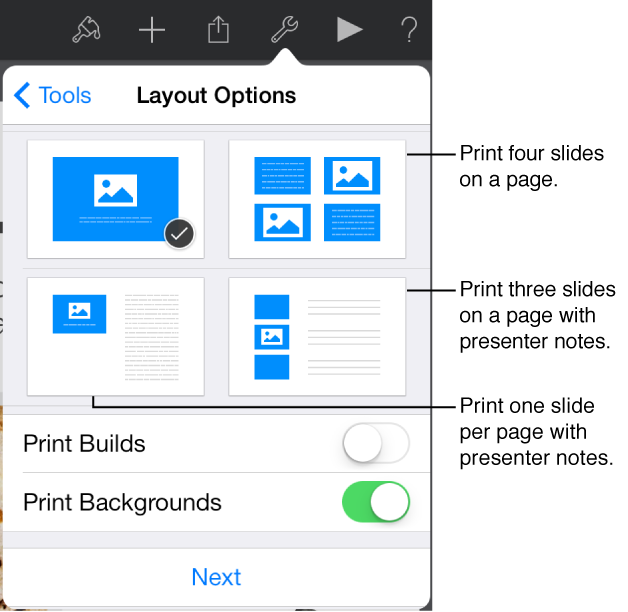
    Print options
  3. Tap Next, then tap Print.

  4. If no printer is selected, tap Select Printer to select a printer.

    Your device automatically searches for any nearby AirPrint printers.