
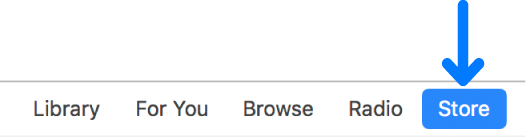
To go to the iTunes Store, click Store in the navigation bar.
When you find the item you want, click the button to download it (depending on the item, the button might say Buy, Free, Subscribe, a specific price, or something else).
To preview an item before purchasing, move the pointer over the item, then click the Preview button  .
.
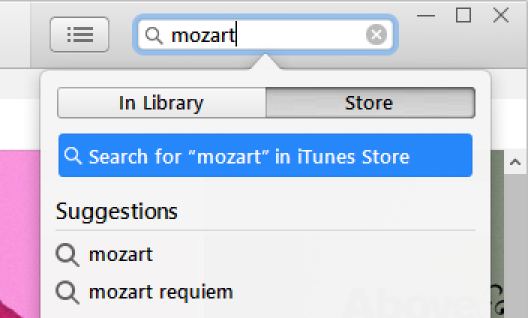
Type search criteria for the item you want to find in the search field in the top-right corner of the iTunes window, then click Store.
Some movies and TV shows are available in HD (high definition) format. Of these, some are available in both 1080p and 720p formats.
If you want to watch HD movies and TV shows on a computer display that doesn’t support HD, you can set iTunes to play them in standard definition.
Choose which format is downloaded to your iTunes library: Choose Edit > Preferences, click Downloads, then select “Download full-size HD videos,” “Download high-quality SD videos,” or both.
If you select HD, and a movie or TV show is available in 1080p format, iTunes will download the 1080p version.
Watch HD movies and TV shows on your computer in standard definition: Choose Edit > Preferences and click Playback. Then click the Video Playback Quality pop-up menu and choose Good.
You can buy individual episodes or entire seasons (buying an entire season at once can cost less). If you buy an entire season, you have these options (not all are available for all shows or in all countries):
Season Pass: For a season in progress. All available episodes are downloaded to your iTunes library; new episodes are downloaded when they become available.
Important: When new episodes become available, you’re notified via email. To download a new episode, click the link in the email. If you buy a season pass and then buy an individual episode, you’re charged again for the episode.
Buy All Episodes: For a season in progress. Purchases all available episodes for the current season, but not new episodes.
Multi-Pass: For shows that don’t have traditional “seasons” (for example, news programs). The latest episode is downloaded; each remaining episode is downloaded when it becomes available.
Buy Season: For a completed season. Purchases and downloads all episodes.
Many shows are available for download and purchase the day after they air; some shows may not be available for a few days.
You can listen to audiobooks on your computer or your iPod touch, iPhone, or iPad.
Many audiobooks provide a sample you can listen to before you buy the book. Samples are downloaded only to your device.
Spoken program files purchased from the iTunes Store end in .m4b.