
You can quickly locate items in your library or a playlist.
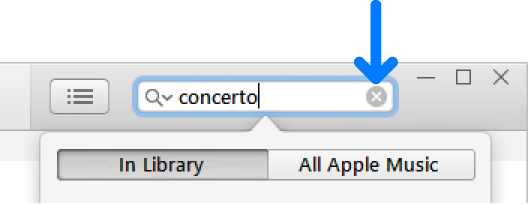
Click in the search field in the top-right corner of the iTunes window and type search criteria for the item you want to find.

As you type, iTunes displays a list of items that match the criteria you entered. To choose where you want to search, click In Library or All Apple Music (if you’re an Apple Music subscriber).
To search song comments, make sure the Comments column is displayed (choose View > View Options).
To see your search results in the iTunes window, press the Return key.
To see all your items again, delete the text from the search field (or press the Escape key).
Tip: To delete text quickly, click the Delete button  in the search field.
You can’t search radio listings.
You can find every instance of a song by the same artist anywhere in your iTunes library. For example, the same song could appear on the artist’s album and on a movie soundtrack.
You can also search for exact duplicates, in which the song, artist, album, and version are all the same (if, for example, you inadvertently imported the song twice).
Select an item and do one of the following:
Find every instance of a song by the same artist from any album in your library: Choose File > Library > Show Duplicate Items.
Find exact duplicates: Hold down the Shift key and choose File > Library > Show Exact Duplicate Items.
To see all items again, choose File > Library > Show All Items.