
You can rent and play movies from the iTunes Store on your computer, iPod, iPhone, or iPad. If you have an Apple TV, you can use it to rent items and play them on your home theater system.
You can also download a rented movie directly to any authorized computer or device, including movies you’ve already started watching, as long as the rental hasn’t expired.
A rented item expires 30 days after you rent it or 24 hours after you begin playing it, whichever comes first. Expired rentals are deleted automatically.
When you find a movie you want to rent, click Rent Movie (if you don’t see this button, the item isn’t available for rent).

The rental downloads to your iTunes library.
Note: Prices shown are for illustration purposes only. Actual prices and currencies vary according to item and country.
In addition to downloading rented movies from the iTunes Store directly to a device, you can also transfer them from your computer to your iPod touch, iPhone, iPad, or Apple TV, if your device can play the rented item. This is useful if you want to watch a movie on a device but aren’t connected to the Internet.
If you have iPhone 3GS (or earlier) or iPod touch (third generation or earlier), you can also transfer rentals from your device to your computer.
Connect your device to your computer.
Click the Device button, then click Movies.
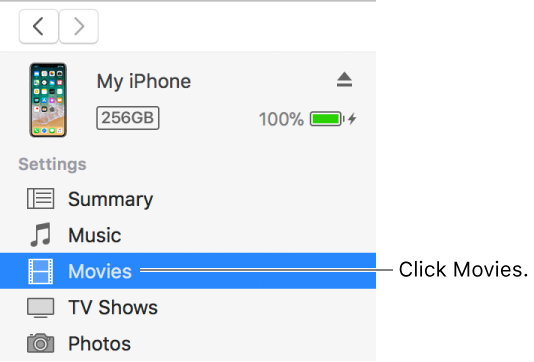
Select the rented item.
Click Move.
Note: Some movies in the iTunes Store are available for rent in HD-quality format. You can only transfer HD rentals to iOS devices that can display HD content.
For information about renting movies using your device, see the documentation for the device.
Note: These terms apply to U.S. rentals. Rental terms vary among countries.