Follow your favorite artists with Connect

Connect is a part of Apple Music—available to members and nonmembers alike—that makes it easy to follow your favorite artists, find out what music they’re listening to, and keep up with their latest releases, news, and tour schedules. It’s a great way to stay in touch with your favorites and discover new music and artists. You follow only the artists you select, and Connect keeps you current with regular updates.

See what’s new on Connect

You’ll see the latest updates from the artists you follow.

You can also view what artists in your library post to their pages on Connect, even if you aren’t following the artists.
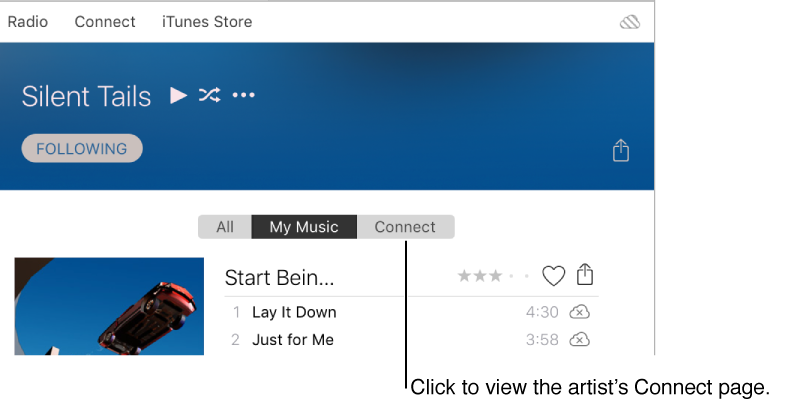

The Connect tab on an artist's page

Follow an artist

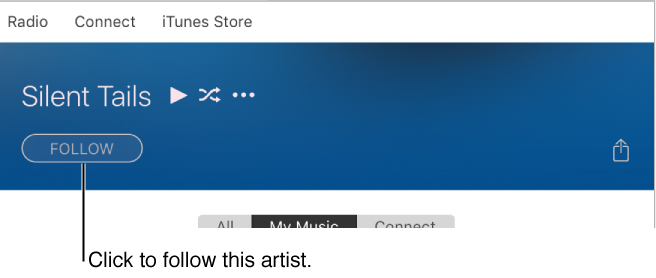
To follow an artist, click the Follow button on the artist’s page in Connect or Apple Music (if you’re a member).

You can also follow artists in your iTunes library.

  1. Click Media type pop-up button near the top left of the iTunes window, choose Music, then click My Music.

    The My Music tab in the navigation bar
  2. Select Artists in the sidebar on the left.

  3. Select an artist you want to follow, then click Follow below the artist’s name.

    The Follow button on an artist's page
See also
Stream or download unlimited songs with Apple Music