Update your software
Connect your device to your computer.
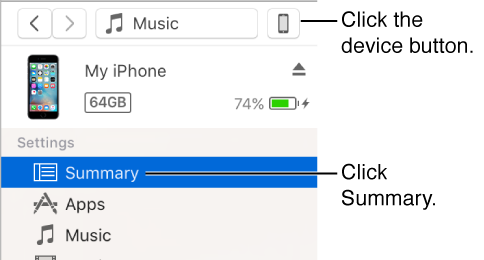
Click the device button, then click Summary.
Click Check for Update.
To install an available update, click Update.

Using iTunes, you can update software on your iPod, or update iOS software on iPod touch, iPhone, or iPad.
Connect your device to your computer.
Click the device button, then click Summary.
Click Check for Update.
To install an available update, click Update.