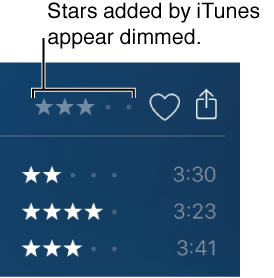

You can assign a rating—from one to five stars—to a song, album, video, podcast, or other item to indicate how much you like it. You can use ratings to help you automatically create playlists or to sort and browse your library.
To display the rating column for songs or albums, choose View > View Options, and select Rating or Album Rating.
Select the item you want to rate, and click or drag in a rating column to add or remove stars.
You can also add ratings by Control-clicking an item and choosing Rating.
When you rate an album, iTunes assigns the same rating to all songs in the album, except for any individual songs that you rate yourself. If you rate songs but not the album, iTunes displays the rated songs’ average as the album rating. Stars that iTunes assigns are dimmer than the ones you assign.