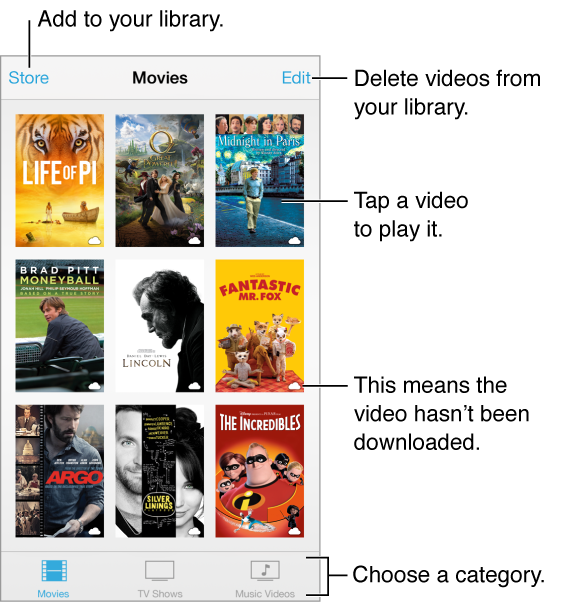
Open the Videos app to watch movies, TV shows, and music videos. To watch video podcasts, install the free Podcasts app from the App Store—see Podcasts at a glance. To watch videos you record using Camera on iPod touch, open the Photos app.
WARNING: For important information about avoiding hearing loss, see Important safety information.
Watch a video. Tap the video in the list of videos.
What about videos you shot with iPod touch? Open the Photos app.
Stream or download? If  appears on a video thumbnail, you can watch it without downloading it to iPod touch, if you have an Internet connection. To download the video to iPod touch so you can watch without using a Wi-Fi connection, tap
  in the video details.
Looking for podcasts or iTunes U videos? Download the free Podcasts app or iTunes U app from the App Store.
Set a sleep timer. Open the Clock app and tap Timer, then swipe to set the number of hours and minutes. Tap When Timer Ends and choose Stop Playing, tap Set, then tap Start.