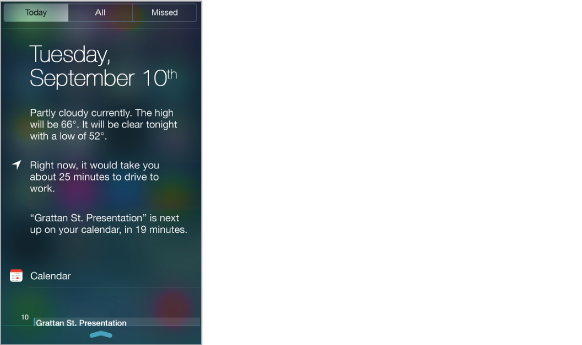
Notification Center collects your notifications in one place, so you can review them whenever you’re ready. Review all your alerts, or just the ones you missed. Or tap the Today tab for a summary of the day’s events—such as the weather forecast, appointments, birthdays, stock quotes, and even a quick summary of what’s coming up tomorrow.
Open Notification Center. Swipe down from the top edge of the screen.
Set notification options. Go to Settings > Notification Center. Tap an app to set its notification options. You can also tap Edit to arrange the order of app notifications. Touch  , then drag it to a new position.
Close Notification Center. Swipe up, or press the Home button.