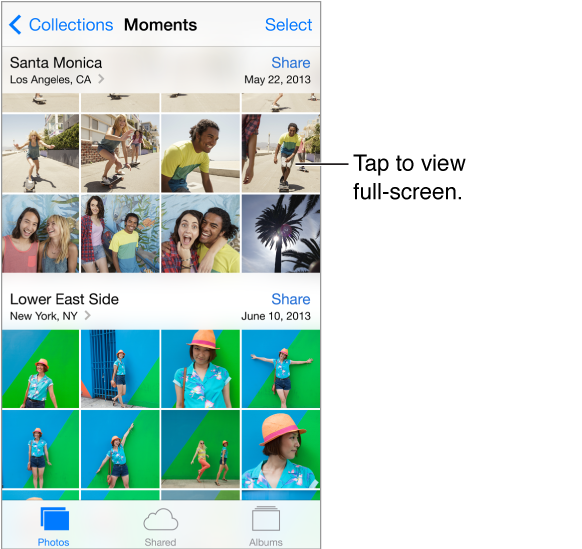
Photos lets you view your:
Camera Roll—photos and videos you took on iPod touch, or saved from an email, text message, webpage, or screenshot
Shared photos and videos—Photos and videos that you’ve shared with iCloud Photo Sharing or that other have shared with you (see iCloud Photo Sharing)
Photos and videos synced from your computer (see Sync with iTunes)
View your photos and videos. Tap Photos. Photos automatically organizes your photos and videos by year, by collection, and by moment. To quickly browse the photos in a collection or year, touch and hold for a moment, then drag.
By default, Photos displays a representative subset of your photos when you view by year or by collection. To see all your photos, go to Settings > Photos & Camera and turn off Summarize Photos.
View by events or by faces. Albums you sync with iPhoto 8.0 or later, or Aperture v3.0.2 or later, can be viewed by events or by faces. Tap Albums, then scroll to find Events or Faces.
View by location. While viewing by year or by collection, tap  . Photos and videos that include location information appear on a map, showing where they were taken.
While viewing a photo or video, tap to show and hide the controls. Swipe left or right to go forward or backward.
Zoom in or out. Double-tap, or pinch and stretch a photo. When you zoom in, you can drag to see other parts of the photo.
Play a video. Tap  . To toggle between full-screen and fit-to-screen, double-tap the display.
Play a slideshow. While viewing a photo, tap  , then tap Slideshow. Select options, then tap Start Slideshow. To stop the slideshow, tap the screen. To set other slideshow options, go to Settings > Photos & Camera.
To stream a slideshow or video to a TV, see AirPlay.