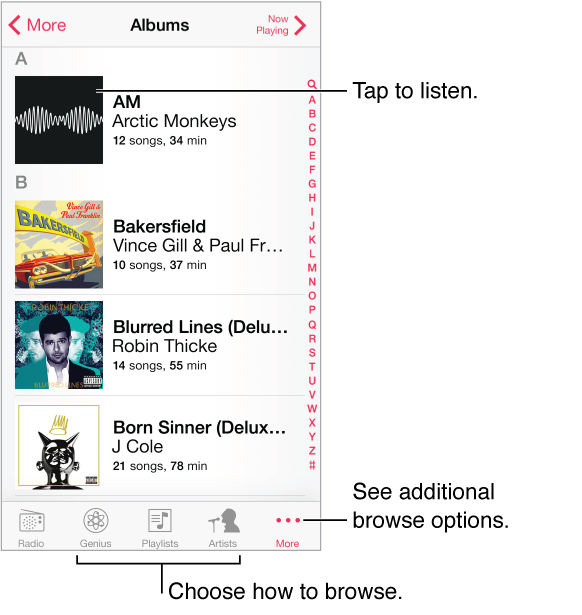
Browse your music by playlist, artist, song, or other category. For other browse options, tap More. Tap any song to play it.
You can listen to audio from the built-in speaker, from headphones attached to the headset jack, or from wireless Bluetooth stereo headphones paired with iPod touch. If headphones are attached or paired, no sound comes from the speaker.
Tired of tapping More? To rearrange the buttons, tap More, then tap Edit and drag a button onto the one you want to replace.
The Now Playing screen provides playback controls and shows you what’s playing.
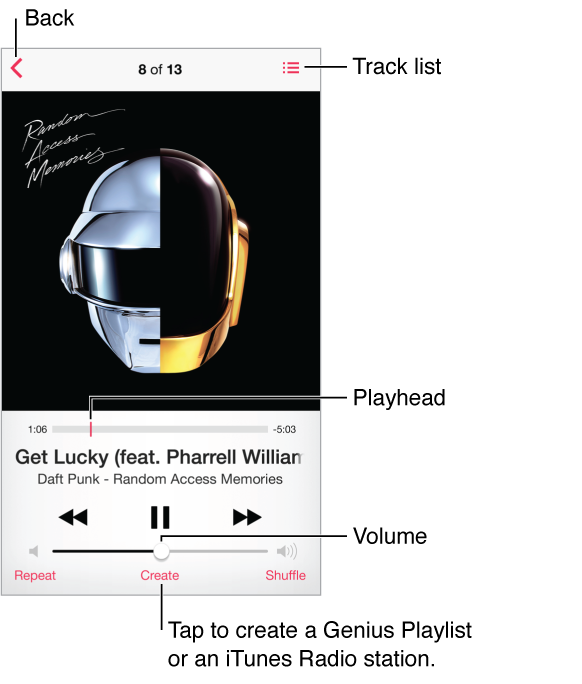
Display lyrics. If you’ve added lyrics to the song, tap the album cover to see them. To add lyrics, use the song’s Info window in iTunes on your computer, then sync the song to iPod touch. (Lyrics aren’t supported by iTunes Match.)
Skip to any point in a song. Drag the playhead. Slow down the scrub rate by sliding your finger down the screen.
Shuffle. Tap Shuffle on the Now Playing screen to play your tunes in random order.
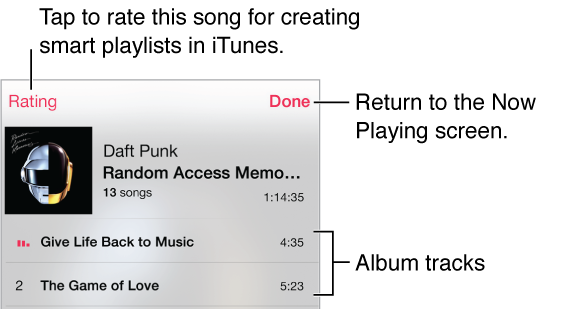
See all tracks from the album containing the current song. Tap  . To play a track, tap it.
Search music. While browsing, tap the status bar to reveal the search field at the top of the screen, then enter your search text. You can also search audio content from the Home screen. See Search.
Rate a song for smart playlists in iTunes. Tap the screen to reveal the rating dots, then tap a dot to assign a rating.
Get audio controls from the Lock screen or when using another app. Swipe up from the bottom edge of the screen to open Control Center. See Control Center.

Play music on AirPlay speakers or Apple TV. Swipe up from the bottom edge of the screen to open Control Center, then tap  . See AirPlay.