iPod touch has an internal, lithium-ion rechargeable battery. For more information about the battery—including tips for maximizing battery life—see www.apple.com/batteries.
WARNING: For important safety information about the battery and charging iPod touch, see Important safety information.
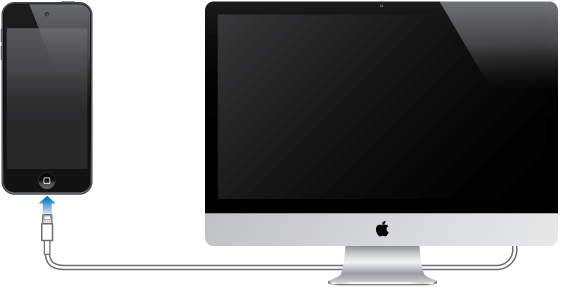
Charge the battery. Connect iPod touch to your computer using the included cable. You can sync iPod touch with iTunes at the same time. It may take longer to charge, however, if you sync or use iPod touch while it is charging.
Unless your keyboard has a high-power USB 2.0 or 3.0 port, you must connect iPod touch to a USB 2.0 or 3.0 port on your computer.
Important: The iPod touch battery may drain instead of charge, if iPod touch is connected to a computer that’s turned off or is in sleep or standby mode.
Charge the battery using a power adapter. Connect iPod touch to a power outlet using the included cable and a USB power adapter (available separately).
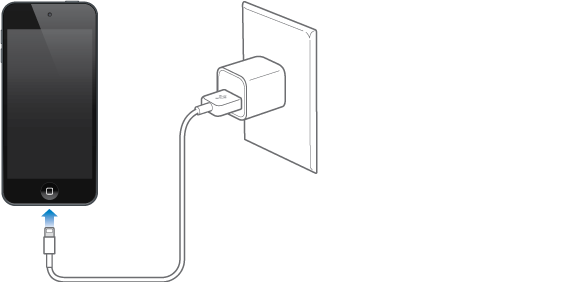
Note: Connecting iPod touch to a power outlet can start an iCloud backup or wireless iTunes syncing. See Back up iPod touch and Sync with iTunes.
The battery icon in the upper-right corner shows the battery level or charging status.

Important: If iPod touch is very low on power, it may display an image of a nearly depleted battery, indicating that iPod touch needs to charge for up to ten minutes before you can use it. If iPod touch is extremely low on power, the display may be blank for up to two minutes before one of the low-battery images appears.
Rechargeable batteries have a limited number of charge cycles and may eventually need to be replaced. The iPod touch battery isn’t user replaceable; it can be replaced only by an Apple Authorized Service Provider. See the Battery Replacement Program website.