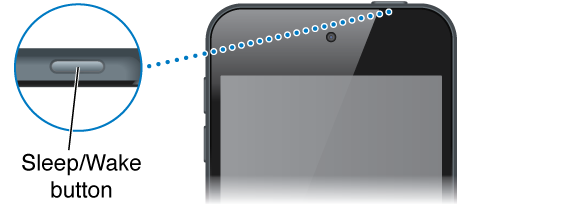
When you’re not using iPod touch, press the Sleep/Wake button to lock iPod touch. Locking iPod touch puts the display in sleep, saves the battery, and prevents anything from happening if you touch the screen. You can still listen to music and adjust the volume using the buttons on the side of iPod touch, and receive FaceTime calls, text messages, alarms, notifications, and other updates.
iPod touch locks automatically if you don’t touch the screen for a minute or so. You can adjust the timing in Settings > General > Auto-Lock.
Turn on iPod touch. Press and hold the Sleep/Wake button until the Apple logo appears.
Open Camera when iPod touch is locked: Press the Sleep/Wake button or the Home button, then drag  up.
up.
Access the audio controls when iPod touch is locked: Swipe up from the bottom edge of the screen to open Control Center.
Unlock iPod touch. Press the Sleep/Wake button or the Home button, then drag the slider.
Turn off iPod touch. Press and hold the Sleep/Wake button until the slider appears, then drag the slider.
For additional security, you can require a passcode to unlock iPod touch. Go to Settings > Passcode. See Use a passcode with data protection.