Change the screen orientation

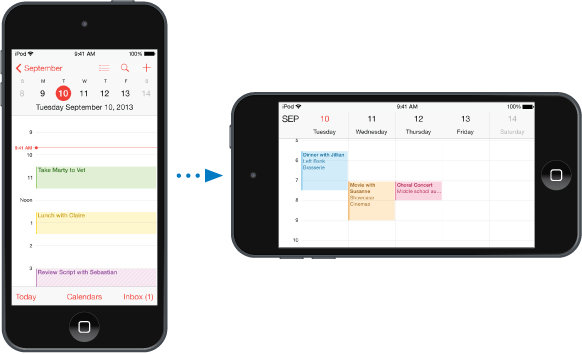
Many apps give you a different view when you rotate iPod touch.

iPod touch in a vertical (portrait) orientation showing Calendar in day view. To the right is iPod touch turned lengthwise, showing Calendar in week view.

To lock the screen in portrait orientation, swipe up from the bottom edge of the screen to open Control Center, then tap the Portrait orientation lock button.