
You can add transitions between clips to smooth or blend the change from one scene to another. You can have a clip fade in or out, dissolve into another clip, zoom in to another clip, and so on. You can set iMovie to add transitions automatically, or you can add transitions manually.
With your project open in the timeline, click Settings in the upper-right corner of the timeline, and then select the “Automatic content” checkbox.
If you have applied a theme to your movie, iMovie inserts standard cross-dissolve transitions between clips, with occasional transitions based on the theme. Not every space between clips gets a transition.
iMovie also adds a theme-styled opening title over the first clip and an end title over the last.
To include only standard, non-themed transitions in your movie, click the Theme button, select No Theme, click Change, and then deselect the “Automatic content” checkbox.
Note: If you already have a theme applied to your movie and select No Theme, all theme elements are removed from the movie. For more information about themes, see Set or change a movie’s theme.
To add transitions manually, you must first turn off automatic transitions. For more information, see Disable automatic transitions.
With your movie open in the timeline, select Transitions above the browser.
To preview a transition, skim it.
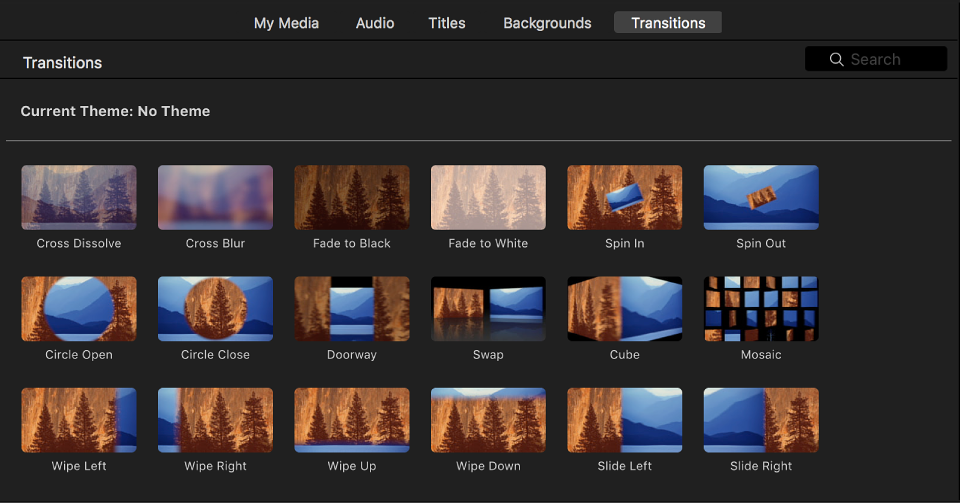
Do one of the following:
Add a transition between two clips: Drag a transition between two clips in the timeline.
Add a transition to both ends of a clip: Select a clip in the timeline, then double-click a transition in the browser.
A transition icon  appears between the clips.
To add a cross-dissolve transition, in which the first shot fades out while the second shot fades in, you must first turn off automatic transitions. For more information, see Disable automatic transitions.
In the timeline, click the edge of either clip you want to connect with a cross-dissolve.
Choose Edit > Add Cross Dissolve (or press Command-T).
A cross-dissolve transition appears between the two clips in the timeline.
Note: If you select a clip in the timeline and choose Edit > Add Cross Dissolve, a cross-dissolve is added to both sides of the clip.
By default, iMovie makes all the transitions in your movie the same length. Standard transitions are one-half of a second long, and theme-styled transitions (which are available only if you’ve applied a theme to your movie) are 2 seconds long. You can change the default duration in iMovie preferences. This setting is applied to transitions you add manually in any of your movie projects.
Choose iMovie > Preferences.
Double-click the number in the Transitions field and type a number of seconds.
Note: If your default transition duration is longer than is allowed by the available media in adjacent clips in your movie, the longest possible duration is used instead.