
You can change the mix of instruments in a Learn to Play lesson to hear the teacher, the instruments in the band, or your own instrument more easily. For example, after you have practiced the lesson, you can mute the teacher’s instrument to hear your own instrument as you play with the band.
Click Mixer in the upper-right part of the lesson window.

The mixer appears as an overlay over the lesson window.
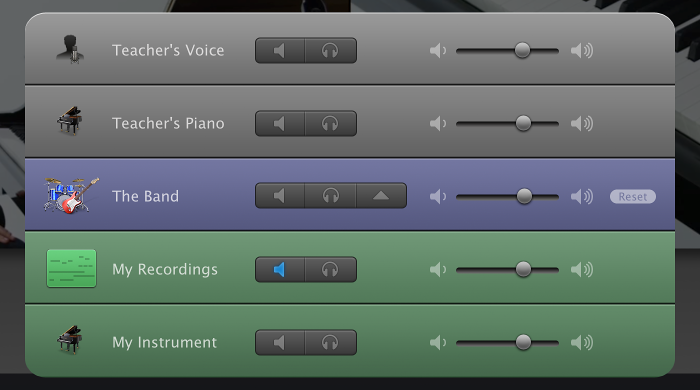
Do any of the following:
To silence a track: Click its Mute button in the mixer.
To solo a track: Click its Solo button in the mixer.
To adjust the volume for a track: Drag its volume slider left or right.
Click the button with the upward-pointing triangle in the row for The Band.
Click the Reset button in the row for The Band.
Click anywhere in the window outside the mixer.