
The Score Editor displays MIDI regions as music notation, including notes, rests, and sustain pedal markings. You can add and edit notes and other musical symbols.
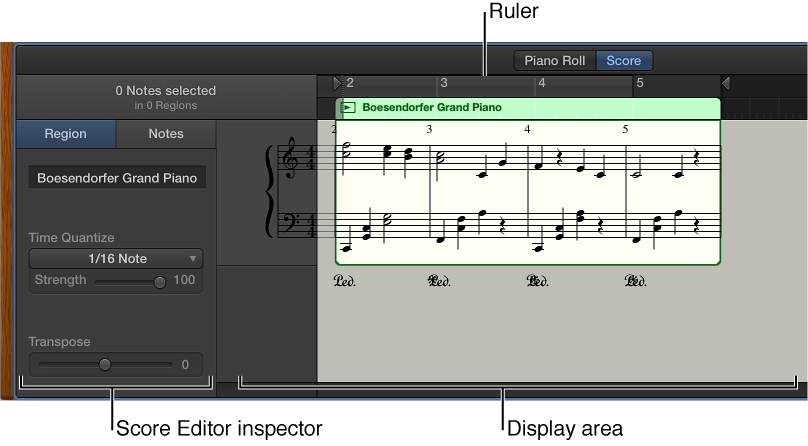
Score Editor menu bar: Contains the Grid pop-up menu and zoom slider.
Score Editor inspector: Contains controls for quantizing note timing and adjusting note pitch and velocity.
Display area: Shows the notes in the MIDI regions as musical notation.
Ruler: Shows time divisions so you can align and edit notes at precise time positions.
Playhead: Shows the current playback position.
Do one of the following:
Double-click a MIDI region in the Tracks area, then click Score.
Select a software instrument track, click the Editors button  in the control bar, then click Score.
Select a software instrument track, choose View > Show Editors, then click Score.
For more information about using the Score Editor, see Score Editor overview.