
You can view available patches for the currently selected track, and choose a new patch, in the Library. Categories appear on the left, and patches for the selected category are displayed on the right. You can search for patches, and create, save, and delete patches.
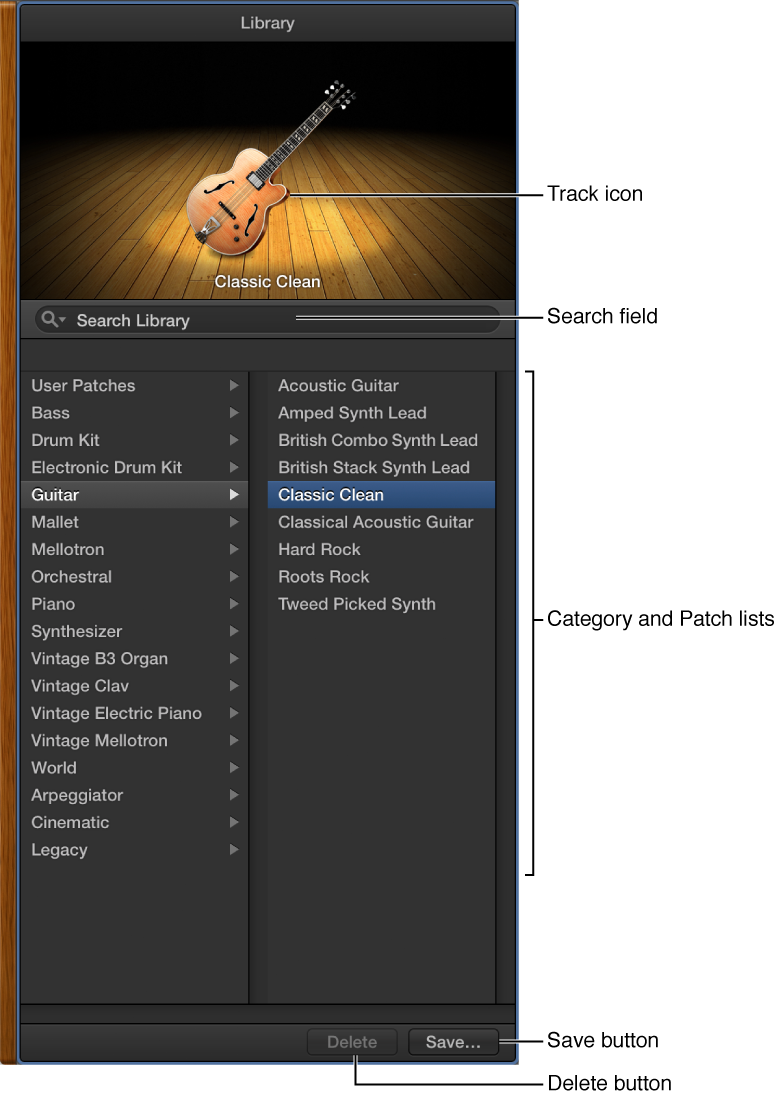
Track icon: The icon for the selected track is displayed in the upper part of the Library.
Search field: Quickly search for patches by name.
Category and Patch lists: Select a category on the left, then select a patch on the right.
Delete button: Delete a saved patch.
Save button: Save the patch with its current settings as a new custom patch.
Do one of the following:
Click the Library button  in the control bar.
Choose View > Show Library.
For information about choosing patches in the Library, see Patches overview.