
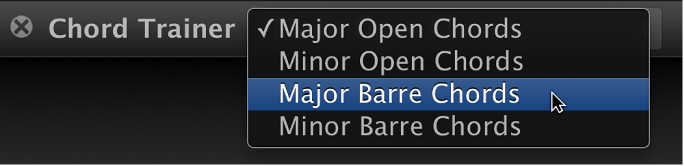
Learn to Play includes a chord trainer that you can use to practice guitar chords. In the chord trainer, chords are grouped by major and minor, and also whether they are open position or barre chords. You can choose the type of chords you want to practice.
When you choose a chord type, chords appear in the window. When you play the first chord correctly, an additional chord appears to the right. You can practice the chords in the order shown, or choose a specific chord to practice. The fingering for the current chord also appears on the animated fretboard.
Note: Before starting a performance, be sure your guitar is in tune. Out-of-tune notes or chords are considered errors. Also, if you’re playing an electric guitar, be sure the volume of the guitar is not so high as to produce clipping. Clipped notes are considered errors.
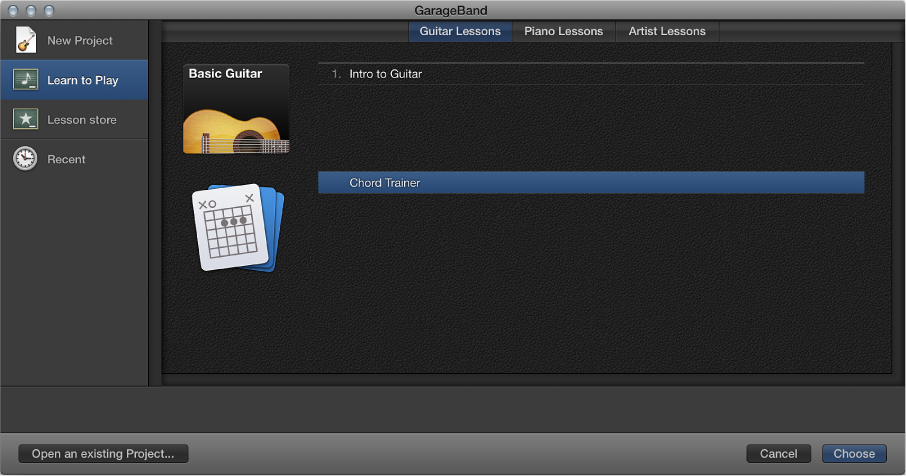
Choose File > New.
In the Project Chooser, click Learn to Play.
Double-click Chord Trainer.
Choose the type of chords you want to practice from the Chord Trainer pop-up menu in the upper-left corner of the window.
Chords for the chosen type appear in the window. The fingering for the current chord also appears on the animated fretboard.
Play the current chord as shown in the chord trainer.
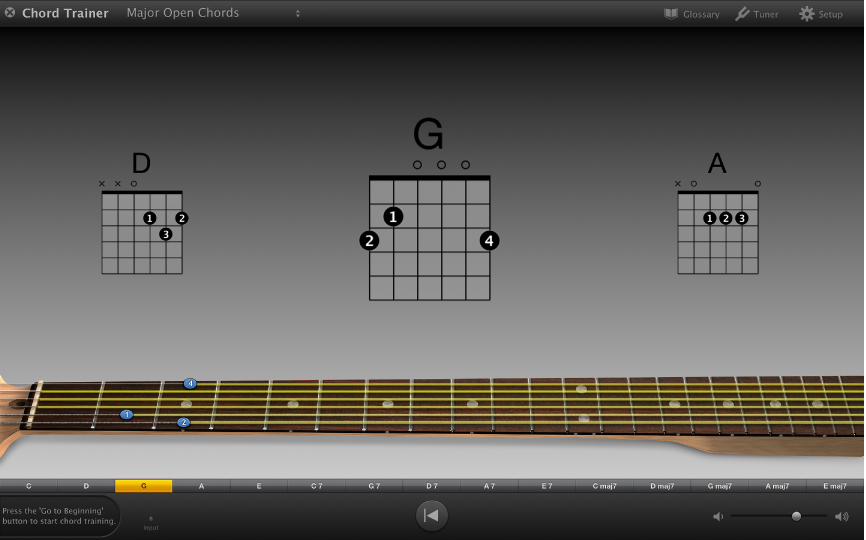
When you play the current chord correctly, it highlights green, and another chord appears to the right. The performance meter, located on the left side of the control bar, shows the time available to play the chords in the current sequence.
To begin the sequence again, click the Go to Beginning button in the control bar.
Click the chord name in the row above the control bar.
Click the Go to Beginning button (with the left-pointing triangle) in the control bar.
Click the small “x” in the gray circle at the upper-left corner of the window.
When you exit the chord trainer, you return to the Project Chooser. From the Project Chooser, you can open a lesson or a GarageBand project.