
You can use the Arpeggiator on software instrument tracks. When you turn on the Arpeggiator, chords you play on the keyboard are arpeggiated, or played one note at a time rather than simultaneously.
After you turn on the Arpeggiator, the Arpeggiator pop-up menu appears in the menu bar. You can choose an Arpeggiator preset and adjust Arpeggiator settings, including note order, note range, and octave range from the Arpeggiator pop-up menu.
Click the Arpeggiator button  in the Smart Controls menu bar.
The Arpeggiator pop-up menu appears in the menu bar.
Choose a preset from the Arpeggiator pop-up menu in the Smart Controls menu bar.
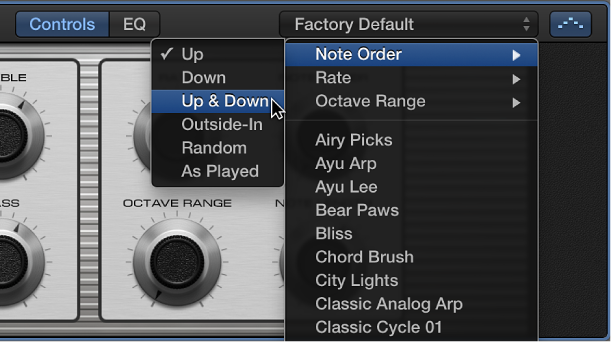
In the Arpeggiator pop-up menu, do any of the following:
Choose Note Order, then choose the direction of arpeggiated notes from the submenu.
Choose Rate, then choose a note value for arpeggiated notes, based on the tempo of the song.
Choose Octave Range, then choose how many octaves the arpeggio covers.