
The Score Editor displays MIDI regions on software instrument tracks as music notation, including notes, rests, key and time signature, and clef signs. Bar lines show the division between measures. Gaps between regions are filled in to display a continuous staff.
Do one of the following:
Click a software instrument track header, click the Editors button in the control bar, then click Score (or Press N).
Click a track header, choose View > Show Editors, then click Score.
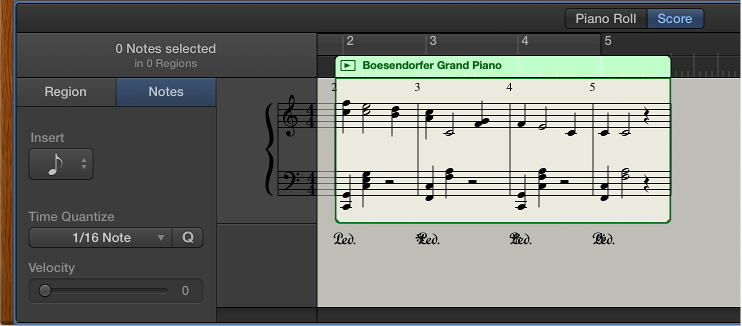
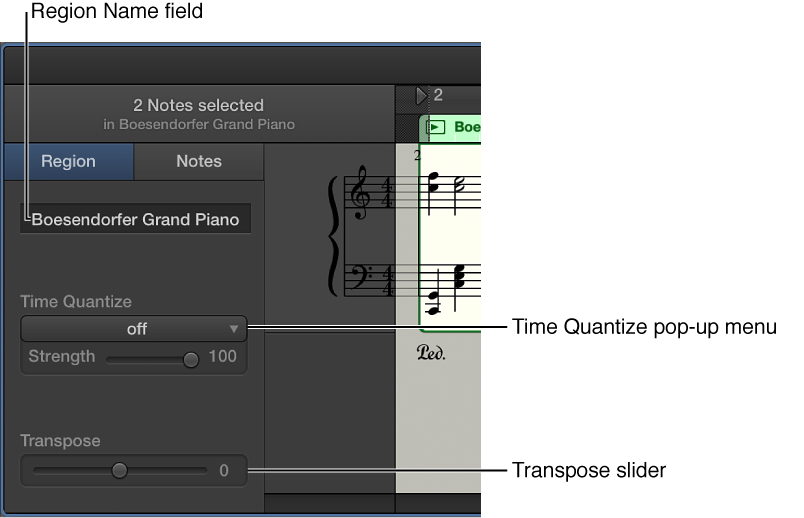
When one or more regions are selected, the following controls appear in the Score Editor inspector (to the left of the score display):
Region Name field: Edit the name of the selected regions.
Time Quantize pop-up menu (with Strength slider): Quantize the timing of notes in the selected regions.
Transpose slider: Change the pitch of notes in the selected regions.
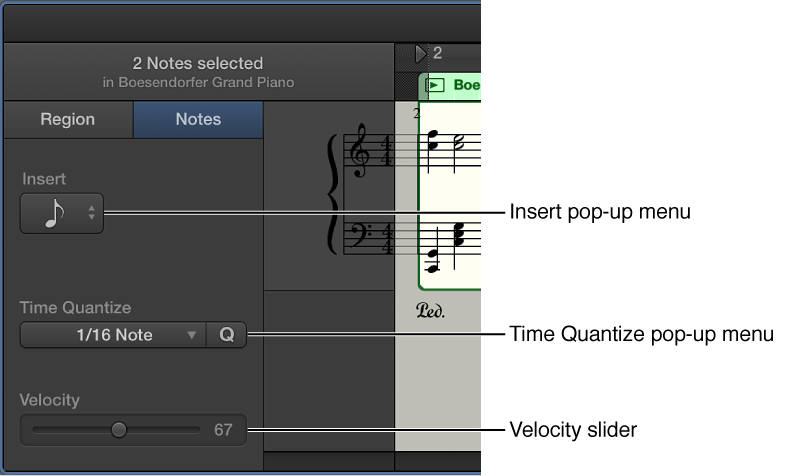
When individual notes in a region are selected, the following controls appear in the Score Editor inspector:
Insert pop-up menu: Choose the note value for notes to insert.
Time Quantize pop-up menu: Quantize the timing of selected notes.
Velocity slider: Change the velocity value of selected notes.
In addition, the Grid pop-up menu appears in the Score Editor menu bar, so you can set the visual quantization of notes in the Score Editor, independent of their Time Quantize value.