
Each track includes a track header that displays the track name and icon, and features a number of track controls. Default track header controls include Record Enable, Mute, and Solo buttons on all tracks, and for audio tracks, a Monitoring button.
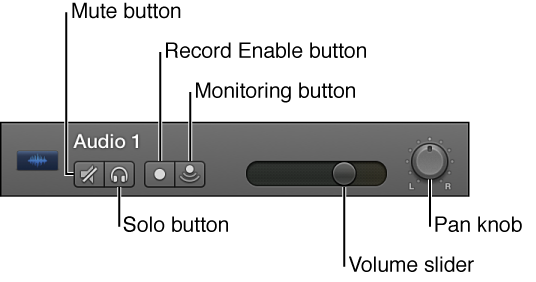
You can customize the track header by showing or hiding different track header controls, to optimize your workflow. You can also resize the track headers to give yourself more room to work in the Tracks area.
Control-click the track header.
Choose Track Header Components from the shortcut menu, then choose individual items from the submenu.