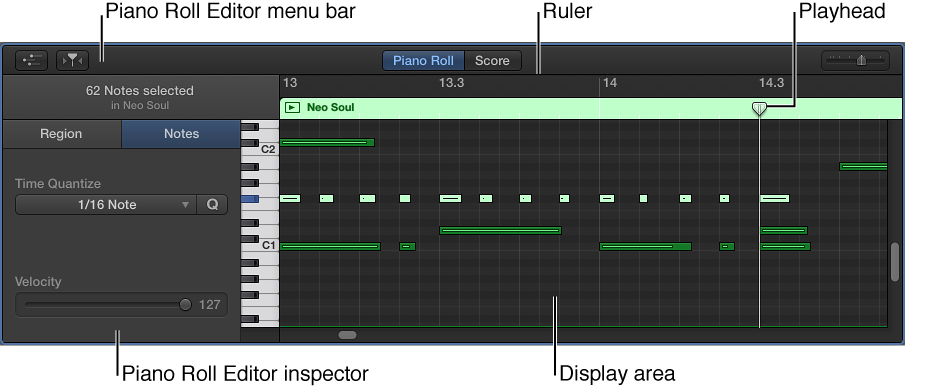
The Piano Roll Editor shows the notes in a MIDI region as colored bars in a time grid. Horizontal lines show the time position, while vertical lines indicate pitch. A keyboard along the left edge of the Piano Roll Editor provides a reference for the pitches of notes. The Piano Roll inspector, to the left of the notes area, includes controls for editing MIDI regions and notes.
Do one of the following:
Select a software instrument track or a MIDI region, then click the Editors button  .
.
Select a software instrument track or a MIDI region, then choose View > Show Editor.
The Piano Roll Editor opens below the Tracks area. On the left are controls for quantizing the timing and pitch of MIDI regions, adjusting their pitch, and editing the velocity of MIDI notes. Along the top of the Piano Roll Editor is a ruler showing time divisions, and a menu bar with MIDI Draw, Catch, and zoom controls. The header shows the name of the selected region (or the number of regions, if more than one is selected).
Place the pointer in the bar at the top of the editor, then drag upward.
Drag downward to make the editor smaller again.
Click the Editors button .
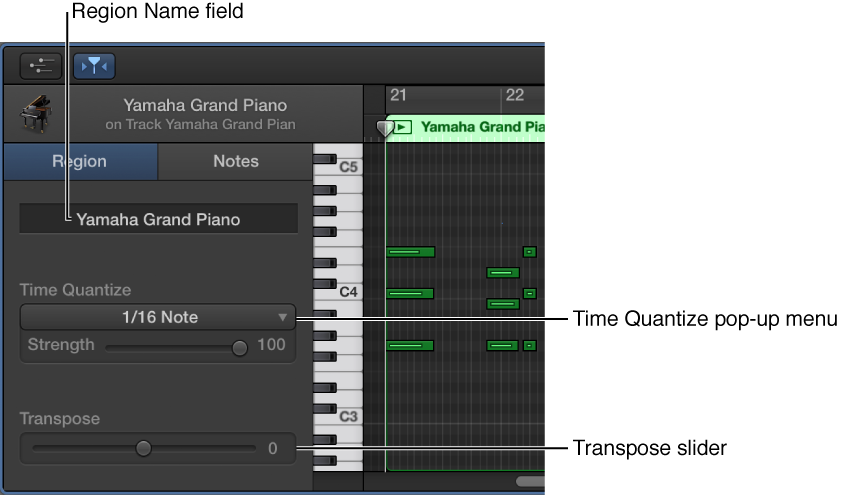
When one or more regions are selected, the Region tab is highlighted and the following controls appear in the Piano Roll Editor inspector:
Region Name field: Edit the name of the selected regions.
Time Quantize pop-up menu (with Strength slider): Quantize the timing of notes in the selected regions.
Transpose slider: Change the pitch of notes in the selected regions.
When individual notes in a region are selected, the Notes tab is highlighted and the following controls appear in the Piano Roll Editor inspector:
Insert pop-up menu: Choose the note value for notes to insert.
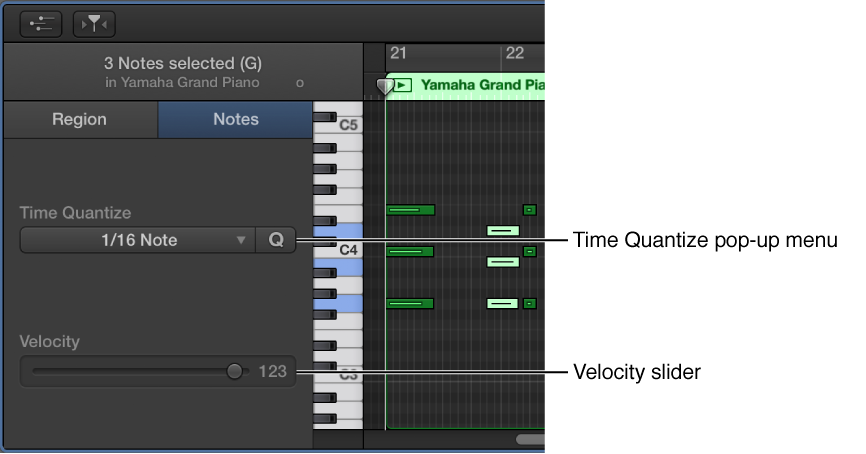
Time Quantize pop-up menu: Quantize the timing of selected notes.
Velocity slider: Change the velocity value of selected notes.