
You can merge (or bounce) any number of unmuted tracks in a song. This can be useful if you reach the maximum number of tracks for a song, but want to add more Touch Instruments.
When you merge tracks, the tracks are replaced with a single track containing a stereo audio file in a new copy of the song. The original song is available in the My Songs browser, so you can edit the original tracks.
Double-tap a track header, then tap Merge.
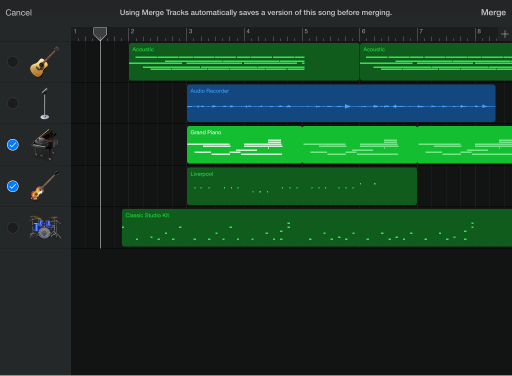
In the track header area, tap the circles for the tracks you want to merge.
Tap Merge.
A new copy of the song is created, with the merged tracks replaced by a single Audio Recorder track. The original song remains available in the My Songs browser.
You can also merge one or more tracks with the FX track. Any effects recorded to the FX track are added to the new Audio Recorder track, and the FX track is turned off (so the effects are audible only on the new track). For information about using the FX track, see Remix a song.