Change the main window layout

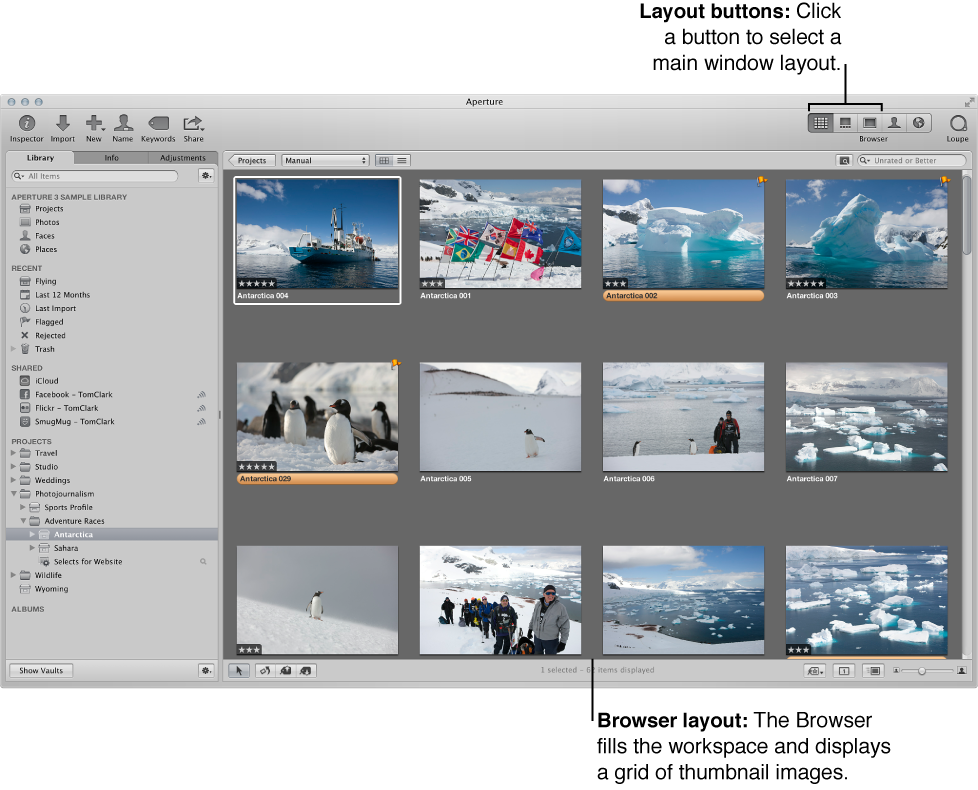
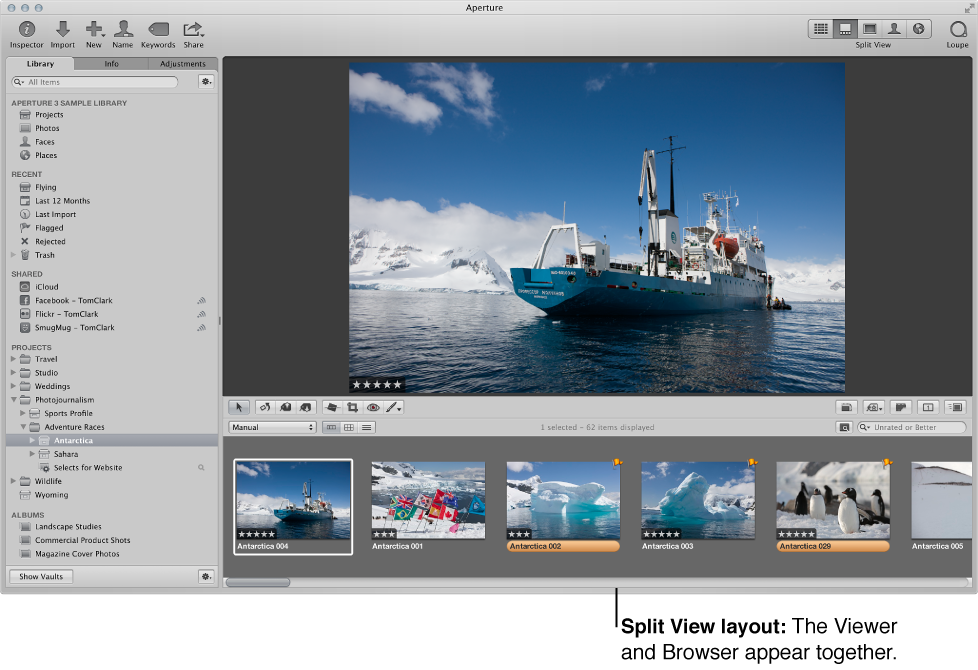
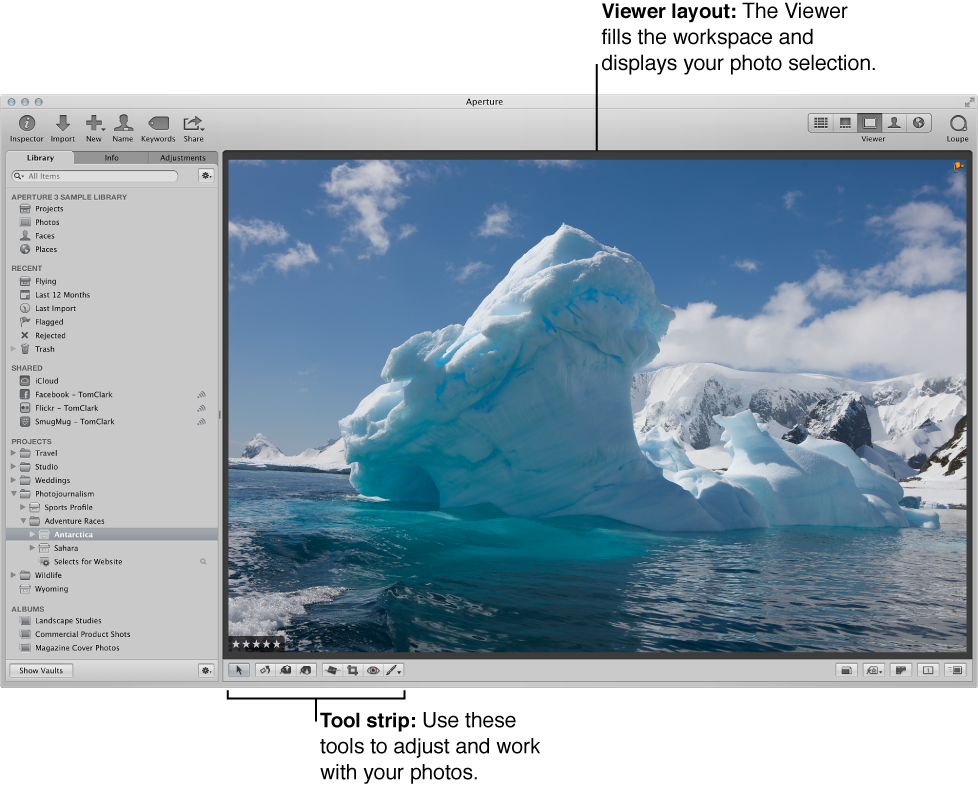
When a project, album, or folder is selected in the Library inspector, Aperture offers three basic layouts for the main window:

You can switch between layouts by pressing V, choosing commands from the View menu, or clicking buttons in the toolbar.

Change the window layout

Do one of the following:

Rotate the position of the Browser in Split View

In the Split View layout, the Browser appears horizontally under the Viewer by default. However, you can change the layout to display the Browser vertically, beside the Viewer.

Swap the position of the Browser and the Viewer in Split View

Change the background of the Viewer

  1. Choose Aperture > Preferences, or press Command-Comma (,).

  2. In the Preferences window, click Appearance, then drag the Viewer Brightness slider to lighten or darken the background.