
As you modify your web galleries and web journals, there are some easy ways to view and navigate through your pages.
Do one of the following:
Select a webpage or web journal album in the Library inspector.
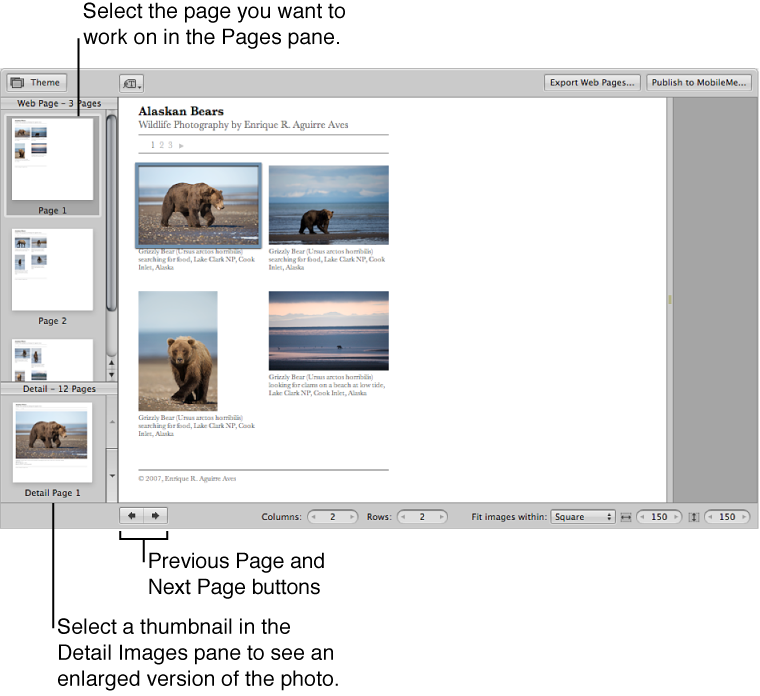
Click the Previous Page or Next Page button below the Webpage Editor to display a different page.
Use the scroll gesture in the Pages pane of the Webpage Editor to locate the page, and then click the page.
When someone clicks a photo on a page in your website, a page showing an enlarged view of the photo appears. You can view these enlarged photos in the Webpage Editor.
Do one of the following:
In the Webpage Editor, position the pointer over the photo, and click the Detail button  .
.
Click the up arrow and down arrow buttons on the side of the Detail Images pane to navigate through detail pages for the photos in a web gallery or web journal.
To return to the page view after viewing an enlarged photo, click the Index link above the photo, or click a page in the Pages pane.